netdaemons.com · Home & SMB Series · Article #25 · 4 September 2026
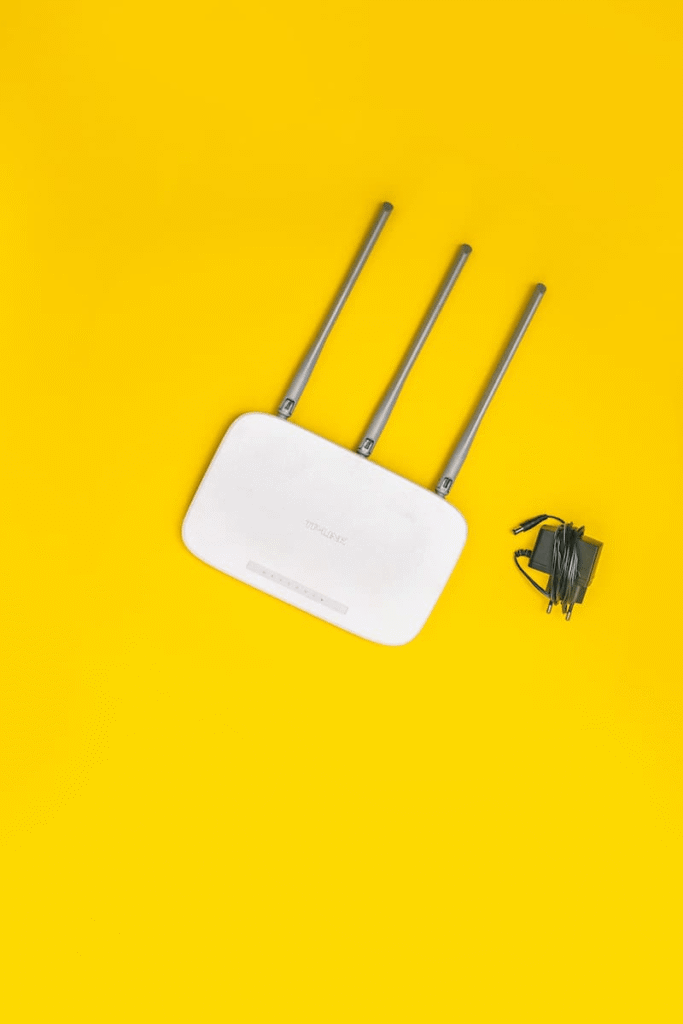
Your e& or du fibre plan may be fast on paper, but that does not help when the bedroom TV buffers, Teams calls break near the balcony, or the PlayStation jumps from 20 ms to 90 ms because the router is sitting inside a TV cabinet. The issue is usually router placement, apartment construction, Wi-Fi congestion and whether your ISP gateway is being asked to do too much.
This guide looks at the best Wi-Fi routers UAE buyers should consider in 2026 for fibre homes, apartments and small villas across the UAE and nearby Middle East markets. Prices are UAE street-price indications seen around August 2026 and should be checked again before purchase because Amazon.ae, noon, Sharaf DG and local IT sellers move pricing often.
| Disclaimer: This guide is based on official vendor specifications, UAE marketplace visibility and engineering judgment at the time of writing. Always check the exact SKU, hardware revision and regional firmware before buying. Pricing is indicative UAE street prices, not guaranteed sale prices. Router pricing changes with seller, import batch, coupon, warranty status and marketplace stock. Availability is also indicative. A model may be common in the UAE but harder to buy with local warranty in Saudi Arabia, Qatar, Oman, Bahrain or Kuwait. Check the local distributor and warranty path before ordering. The rankings are independent NetDaemons opinions, not vendor endorsements. This article contains affiliate links — if you buy through them, NetDaemons may earn a commission at no extra cost to you. The right router depends on your floor plan, ISP gateway, placement, wired backhaul options and support expectations. |
Quick comparison table
| Product | Approx. UAE price | Wi-Fi standard | Best for | One-line verdict |
| TP-Link Archer AX55 | AED 205–249 | Wi-Fi 6 AX3000 | Most UAE apartments on 300–750 Mbps plans | Best overall value for a practical fibre upgrade. |
| ASUS RT-AX57 | AED 269–399 | Wi-Fi 6 AX3000 | Users who want VPN, AiMesh and better controls | Good software depth, but price varies. |
| TP-Link Archer AX73 | AED 380–500 | Wi-Fi 6 AX5400 | Larger flats and heavy streaming homes | Best single-router option here before mesh. |
| Mercusys MR80X | AED 114–160 | Wi-Fi 6 AX3000 | Budget buyers who still want AX3000 | Strong value, lighter ecosystem. |
| TP-Link Archer AX10 | AED 111–140 | Wi-Fi 6 AX1500 | Small studios and 1BHK flats | Cheap Wi-Fi 6 with clear limits. |
Stop — answer these questions before you buy
1. Are you replacing routing, or only fixing Wi-Fi?
In many UAE homes, the ISP fibre ONT or gateway should remain the main router, and the new router should run in Access Point mode. That avoids double NAT problems with gaming, VPNs, CCTV apps and remote access.
2. Is your home a compact apartment or a long villa?
A single AX3000 router can work well in a centrally located 1BHK or 2BHK. A villa, townhouse or long corridor-style apartment often needs mesh or wired access points, not one more powerful router in the same bad location.
3. Can you place the router in open air?
Gulf homes punish bad placement. A router behind a TV, inside a cabinet, or beside a warm set-top box may perform worse than a cheaper router placed cleanly.
What your budget actually buys
Under AED 150, you are mostly buying entry Wi-Fi 6. This is fine for a small apartment and basic fibre plan, but not ideal for a 1 Gbps plan or a busy home with consoles, TVs, tablets and work laptops.
Between AED 200 and AED 400, AX3000 is the sweet spot. You normally get 160 MHz support, better 5 GHz capacity, gigabit Ethernet ports and enough headroom for typical UAE apartment use.
Above AED 400, spend only for a clear reason: stronger CPU, better firmware, more wireless streams, mesh expansion, parental controls or multi-gig ports. If the home has two floors, wired backhaul or mesh may matter more than one larger router.
For most buyers, start with router placement and ISP gateway mode before spending more. A clean AP-mode setup often fixes more problems than chasing a higher AX number.
TP-Link Archer AX55 — around AED 205–249
What it genuinely does well
The Archer AX55 is the most balanced pick for many UAE fibre homes. AX3000 Wi-Fi 6 gives better 5 GHz headroom than cheap AX1500 routers while staying far below premium mesh pricing.
It is a sensible match for 300 Mbps to 750 Mbps plans where the ISP gateway Wi-Fi is weak but the line itself is stable. TP-Link availability is also generally easier in UAE retail channels.
Where it falls short
It is still dual-band, so satellite-room speeds will fall if the signal crosses two heavy walls. Some HomeShield features may depend on region, firmware and subscription tier.
For villas, maid-room extensions or multi-floor homes, treat it as one node in a design, not the whole design.
| From the field — In Gulf apartments, moving the Wi-Fi point out of the TV cabinet often creates more improvement than buying a bigger router. A mid-range AX3000 router in open air can beat a premium router trapped beside a hot set-top box. |
Who should skip it
Skip it if your main problem is coverage across floors. Use mesh or wired access points instead.
WFH verdict
The safest general WFH pick here for video calls, VPN and cloud sync.
Gaming verdict
Good if the console or PC is close or wired. For a distant gaming room, Ethernet still wins.
Streaming verdict
Strong for 4K streaming in the same room and nearby rooms, but not a villa-wide fix.
ASUS RT-AX57 — around AED 269–399
What it genuinely does well
The RT-AX57 is also AX3000, but its main value is ASUS software depth. AiMesh, VPN options and stronger controls matter if someone at home is willing to manage the network.
It suits apartments where one router works today but a second ASUS node may be added later.
Where it falls short
The UAE price swings widely. At AED 269 it is attractive; at AED 399 it competes with stronger routers and entry mesh kits.
More settings are useful for enthusiasts but can confuse users who only want stable Wi-Fi. Wrong NAT mode can break gaming and VPN behaviour.
| From the field — ASUS is a good fit when the household has someone who will update firmware and manage AiMesh. For relatives who never open the router app, a simpler TP-Link setup may be easier to support. |
Who should skip it
Skip it if you will not use AiMesh, VPN or advanced controls.
WFH verdict
Good for WFH users who need VPN stability and control, preferably in AP mode behind the ISP gateway.
Gaming verdict
Good when wired or nearby; avoid double NAT.
Streaming verdict
Comfortable for apartment streaming; use mesh for multi-floor homes.
TP-Link Archer AX73 — around AED 380–500
What it genuinely does well
The Archer AX73 is the strongest single-router option in this list. AX5400 class gives more wireless capacity for homes with multiple 4K streams, consoles and work laptops.
It makes sense when the router can sit centrally in open air and the home is still realistic for single-router coverage.
Where it falls short
A more powerful router does not overcome a bad corner location, reinforced walls or two floors. It is also limited by gigabit Ethernet ports, so multi-gig fibre users should look higher.
At the upper end of its UAE price, entry mesh systems become serious competition.
| From the field — For larger UAE apartments, central placement matters more than antenna count. The common mistake is upgrading hardware but leaving it low, blocked and beside the ONT at the entrance. |
Who should skip it
Skip it if only one far room is weak. A second access point may be the better fix.
WFH verdict
Good for WFH-heavy families with several calls and streams running together.
Gaming verdict
Best gaming pick among these single routers if the link is strong; Ethernet is still better.
Streaming verdict
Strong for streaming-heavy homes when the main TV area is near the router.
Mercusys MR80X — around AED 114–160
What it genuinely does well
The MR80X brings AX3000 Wi-Fi 6 into a very low UAE price band. On paper, that is a lot of wireless capacity for the money.
It suits budget buyers upgrading from an old ISP gateway or ageing AC router in a smaller apartment.
Where it falls short
The ecosystem, firmware polish and long-term support confidence are not at the same level as mainstream TP-Link or ASUS. Treat vendor device-count claims as lab context, not real-home guarantees.
For homes with IPTV, CCTV apps, VPN users and extenders, the thinner management tools can become limiting.
| From the field — Budget routers are fine when the network is simple. They become painful when every issue needs deeper logs, better client visibility or more predictable firmware support. |
Who should skip it
Skip it if you want the best app, mature mesh path or easiest long-term support.
WFH verdict
Acceptable for one or two WFH users in a smaller apartment.
Gaming verdict
Fine for casual gaming close to the router, not ideal across rooms.
Streaming verdict
Good value for OTT streaming in a small flat.
TP-Link Archer AX10 — around AED 111–140
What it genuinely does well
The Archer AX10 is the cheapest practical Wi-Fi 6 pick here. AX1500 and gigabit ports are enough for a small home and basic fibre plan.
It is a clean low-cost replacement for a weak old router when budget is the main constraint.
Where it falls short
AX1500 has less 5 GHz headroom than AX3000. It is not the right long-term router for 500 Mbps or 1 Gbps plans.
It is also not a range miracle. Four antennas and Wi-Fi 6 cannot overcome poor placement.
| From the field — Use the AX10 to replace an old router, not to solve every coverage issue. If the weak room is far away, add a properly placed AP or mesh node. |
Who should skip it
Skip it for large apartments, villas, heavy gaming or multiple streamers.
WFH verdict
Okay for light WFH in a small home; the AX55 is worth more for daily calls.
Gaming verdict
Use it only if the gaming device is close or wired.
Streaming verdict
Fine for one or two 4K streams in a small apartment.
UAE and Middle East-specific considerations
Heat management matters
Routers often sit near TV boxes, ONTs and power adapters, so keep the unit in open air and away from direct sunlight, closed cabinets and warm electronics.
| From the field — Gulf ambient temperatures push well past what most consumer router firmware is tuned for — a unit inside a closed console cabinet on a balcony-facing wall in July is running hotter than the same router in an air-conditioned European or Indian living room. Wi-Fi 6 routers throttle transmit power as they heat up, so an underperforming router in a UAE home is worth checking for placement and airflow before assuming the hardware itself is at fault. |
ISP compatibility matters
e& and du fibre users may have an ONT plus gateway, or an integrated gateway depending on the installation. If you only need better Wi-Fi, Access Point mode is usually safer than changing PPPoE, VLAN or bridge settings.
Apartment congestion is real
Congestion is real in Dubai Marina, JLT, Business Bay, Abu Dhabi towers, Doha high-rises and Riyadh compounds. Use 5 GHz for laptops, phones and consoles where possible, and leave 2.4 GHz for IoT or long-range low-speed devices.
Warranty reality matters
A cheap marketplace listing may be imported stock with a different plug, weaker local warranty or slow replacement path. For routers, local warranty and easy returns are often worth paying a little extra.
When to spend more
1. You need coverage, not just speed
A mesh system with wired backhaul will beat a stronger single router for multi-floor homes.
2. You have true gigabit or multi-gig fibre
Look for 2.5G WAN/LAN only if your plan and devices can use it.
3. Gaming, VPN and work calls matter every day
Better firmware, CPU, support and expansion options are worth more than a small saving.
Team NetDaemons Verdict
The following reflects the independent assessment of the NetDaemons team. For the most common UAE apartment buyer in 2026, the TP-Link Archer AX55 is the safest first recommendation: good price, AX3000 Wi-Fi 6, enough capacity for normal fibre plans and broad UAE availability.
Choose the ASUS RT-AX57 if you want controls, VPN features or AiMesh flexibility. Choose the Archer AX73 if you want the best single-router result before mesh. Choose the Mercusys MR80X only when value matters more than ecosystem confidence. Choose the Archer AX10 only for small homes where the budget is tight and expectations are realistic.
Tell us your emirate or country, ISP, and flat or villa layout in the comments — we’ll point you to the router (or the placement fix) that actually solves it.
Related Articles
| Article | Why it is relevant | Status |
| Best Routers for Jio/Airtel FTTH India 2026 | Regional comparison — India vs UAE home-network choices | LIVE |
| Best Mesh Wi-Fi Systems India 2026 under ₹15,000 | For villas and multi-floor coverage | Confirm live at publish |
| How to Fix Slow Wi-Fi in Apartments | Diagnose placement/congestion before buying new hardware | Upcoming |
netdaemons.com · Home & SMB Series · September 2026 · See full disclaimer above. Prices and availability vary by seller and country — verify before buying. This article contains affiliate links.