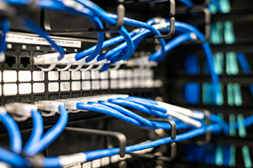
Real specs, real prices, and the decision framework we’d actually use to pick one for a client’s network — not a marketing shortlist.
netdaemons.com · Enterprise Networking · Article #26 · 8 September 2026
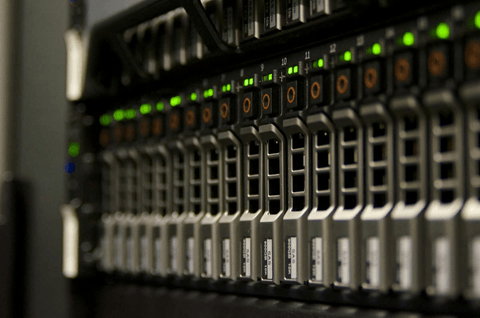
A 20-person office outgrows its unmanaged switch the day someone in finance complains their screen share keeps freezing while the warehouse team streams a training video on the same flat network. The IT manager then has two bad options: buy more unmanaged switches and hope congestion sorts itself, or explain why a ₹2,000 device can’t be fixed with a firmware update. Neither works once cameras, VoIP handsets, and guest Wi-Fi share the same broadcast domain.
The fix is a managed switch — one that segments traffic into VLANs, prioritises voice and video with QoS, and shows which port is saturating the uplink before a user complains. This guide compares the best managed switches under ₹20,000 in India right now, on what actually decides whether one fits your office: cost, complexity, PoE budget, and behaviour under Indian office conditions.
| Disclaimer: General: NetDaemons verified pricing, specifications, and vendor documentation for this article at time of writing (5 September 2026); firmware, pricing, and availability change without notice, so verify before purchase. Pricing: prices are indicative Amazon India street prices, not guaranteed. Availability: indicative and may change. Verdicts: assessments here are NetDaemons’ independent opinion and do not name a single “best” product — the decision framework is meant to help you choose based on your own requirements. This article contains affiliate links; purchases through them may earn NetDaemons a commission at no extra cost to you, which does not influence our assessments. |
What’s Changed to Make This Question Relevant Now
Three things have pushed Indian SMEs toward managed switches earlier than five years ago. Hybrid work means more VoIP and video traffic sharing the LAN with everything else, and QoS (Quality of Service — prioritising latency-sensitive traffic ahead of bulk transfers) is the reliable fix. Cheap PoE-capable IP cameras and Wi-Fi 6 access points are now the default for new office fit-outs, and both need power delivered over the same cable that carries data.
Pricing has shifted too. TP-Link, Netgear, and D-Link have pushed “smart” or “easy-managed” switches — a lighter tier between fully unmanaged and full CLI-driven enterprise gear — into the ₹3,500–₹15,000 range on Amazon India, making VLAN segmentation and basic QoS affordable for offices that would never justify a Cisco or Juniper purchase.
Indian offices also increasingly run at least one cloud-dependent management dashboard — TP-Link’s Omada controller or MikroTik’s cloud tools among them. A switch that depends on a cloud controller for its full feature set behaves differently on a shaky broadband connection than one fully configurable from a local web GUI, and that distinction matters more in India’s tier-2 and tier-3 cities than most spec sheets admit.
| Industry pattern — Support forums for TP-Link, Netgear, and MikroTik entry-managed switches consistently report the same failure mode: administrators leave firmware auto-update enabled, and a routine update silently reverts VLAN or port-priority settings to factory defaults overnight. The documented fix, regardless of brand, is the same — disable auto-update once the switch is configured and stable, and apply firmware updates manually during a planned maintenance window instead. |
Cost: What ₹20,000 Actually Buys
At the low end, ₹3,500–₹7,000 buys an 8-to-16-port managed switch with VLAN, QoS, and IGMP snooping (multicast traffic control) — enough to segment a small office into staff, guest, and IoT/camera VLANs. Adding PoE roughly doubles the price at the same port count: TP-Link’s 16-port TL-SG1016PE with 8 PoE+ ports runs about ₹11,000 against ₹6,500 for the identical non-PoE TL-SG1016DE, worth it once you have more than two or three PoE devices to power.
The real total-cost-of-ownership factor is what surrounds the switch, not its price. None of these include a proper rack-mount kit beyond basic ears; a cabinet, patch panel, and a sized UPS typically add ₹8,000–₹15,000 to a first-time deployment, and Indian grid voltage fluctuations make that UPS a requirement, not a nice-to-have. Budget for it up front, not after the first outage.
Performance in Indian Office Conditions
Every switch here runs fanless, which keeps an office quiet but means airflow inside the cabinet matters more than the spec sheet suggests. A switch sealed inside a wooden cabinet in a non-air-conditioned network room — common in smaller Indian offices — runs measurably hotter, and sustained heat is the most commonly cited cause of premature switch failure across vendor and reseller support threads. A ventilated cabinet is cheap insurance against a mid-deployment failure.
Every product in this list is pure Gigabit Ethernet with no multi-gig ports, which is the right call here — the bottleneck for most Indian enterprise offices is the WAN link (a typical 100 Mbps–1 Gbps circuit from Airtel Business, Jio Enterprise, Tata Communications, BSNL, or a regional ISP), not the LAN. Paying more for 2.5G or 10G ports only pays off with a genuine LAN-bound workload — a file server or backup target several users hit at once.
Operational Complexity: What Your Team Actually Manages
Easy Smart and Smart Managed switches — TP-Link’s DE/PE/E-series and Netgear’s E-series in this list — configure through a browser-based local GUI or a lightweight utility, with no subscription and no CLI required. That’s the right tier for a generalist IT manager who needs VLANs and QoS without maintaining networking skills full time.
Omada SDN switches and MikroTik’s RouterOS/SwOS sit a level up in capability and complexity. Omada’s controller centralises management alongside Omada access points and gateways from one dashboard, paying off past two or three managed devices — but adds a controller to maintain. MikroTik’s RouterOS is the most capable option here for a team with CLI comfort, and the least forgiving for one without it.
Vendor Landscape
TP-Link dominates this bracket on Amazon India by a wide margin — several listings here carry review counts in the thousands to tens of thousands, well ahead of Netgear or D-Link. That brings wide reseller availability and generally straightforward RMA through TP-Link India, but most of what’s marketed as “managed” at this price is TP-Link’s Easy Smart tier — worth confirming against the vendor’s spec sheet, since these Amazon listings frequently carry inconsistent template fields (Section 0).
Netgear’s Smart Managed line is a credible alternative with a similar feature set and comparable pricing, though meaningfully less stock depth on Amazon India at present. MikroTik occupies a different niche — its RouterOS switches deliver capability closer to a mid-tier enterprise switch, including 10G-capable SFP+ uplinks, at a fraction of an equivalent Cisco or Juniper price, through an interface with a steeper curve and thinner local support.
Risk Factors
The most common real-world failure mode isn’t hardware — it’s configuration drift, where VLAN and QoS settings change during troubleshooting and never get documented. Keep a simple running configuration record outside the switch itself and update it every time a setting changes.
The second risk is treating the management interface as internet-facing by default. Several switches here ship with remote or cloud management easily enabled, and a weak or default admin password reachable from outside the LAN is a genuine exposure. Change default credentials before going into production, and keep the management interface on a VLAN unreachable from guest or IoT segments.
The Best Managed Switches Under ₹20,000 in India Right Now
Seven products came through live-availability and manufacturer-documentation verification for this article on 5 September 2026. None is named the single “best” here — the Decision Framework below is built to point you to the right one for your specific office.
| Product | Ports | PoE | Price | Managed features |
| TP-Link TL-SG108E | 8 | None | ₹3,889 | VLAN, QoS, IGMP snooping, LAG |
| Netgear GS308E | 8 | None | ₹6,587 | VLAN, QoS, Smart Managed |
| TP-Link TL-SG1016DE | 16 | None | ₹6,498 | VLAN, QoS, IGMP snooping, port mirroring |
| TP-Link TL-SG1016PE | 16 | 8× PoE+, 150W budget | ₹10,998 | Same as SG1016DE, plus PoE |
| TP-Link TL-SG2210MP | 10 (8 copper + 2 SFP) | 8× PoE+, 150W budget | ₹10,878 | Omada SDN, L2/L3/L4 QoS, static routing, IPv6 |
| MikroTik CSS610-8G-2S+IN | 8 + 2× SFP+ | None (data only) | ₹15,999* | RouterOS/SwOS — full L2/L3 control, 10G-ready uplinks |
| TP-Link TL-SG1024DE | 24 | None | ₹7,414 | VLAN, QoS, IGMP snooping, port mirroring, 48Gbps switching |
*MikroTik pricing varied between ₹13,999 and ₹15,999 across Amazon India listings for the same model at time of writing — confirm current price before purchase.
TP-Link TL-SG108E — ₹3,889
An 8-port Easy Smart Managed switch — metal casing, VLAN, QoS, IGMP snooping, link aggregation, 3-year warranty. The starting point for a small office that needs basic segmentation and nothing more.
👉 Check price on Amazon India for TP-Link TL-SG108E 8 Port Managed Switch
Netgear GS308E — ₹6,587
Netgear’s 8-port Smart Managed equivalent, comparable VLAN/QoS to the TP-Link entry above. Worth it if you’d rather run a second vendor in the estate for RMA-risk diversification.
👉 Check price on Amazon India for Netgear GS308E 8 Port Smart Managed Switch
TP-Link TL-SG1016DE — ₹6,498
A 16-port Easy Smart Managed switch with no PoE — VLAN, QoS, IGMP snooping, port mirroring, 48Gbps switching capacity per TP-Link’s spec. The workhorse pick for a growing office with no PoE devices yet.
👉 Check price on Amazon India for TP-Link TL-SG1016DE 16 Port Managed Switch
TP-Link TL-SG1016PE — ₹10,998
The PoE version of the SG1016DE — 8 of 16 ports carry PoE+ on a 150W budget, per TP-Link’s current spec. Enough for roughly five mid-power access points or up to eight lower-draw cameras or phones, depending on device class.
👉 Check price on Amazon India for TP-Link TL-SG1016PE 16 Port PoE Managed Switch
TP-Link TL-SG2210MP — ₹10,878
A 10-port Omada SDN switch — 8 PoE+ ports on a 150W budget, plus 2 SFP slots for a fibre uplink without consuming a copper port. L2/L3/L4 QoS, static routing, IPv6. The draw is single-dashboard Omada management if you already run Omada access points.
👉 Check price on Amazon India for TP-Link TL-SG2210MP Omada PoE Switch
MikroTik CSS610-8G-2S+IN — ₹15,999
Eight Gigabit ports plus 2 SFP+ slots capable of 10G uplinks, running SwOS or RouterOS. Genuine L2/L3 control well beyond the Easy Smart tier, at the cost of a materially steeper learning curve and thinner local support.
👉 Check price on Amazon India for MikroTik CSS610-8G-2S+IN Cloud Smart Switch
TP-Link TL-SG1024DE — ₹7,414
The same VLAN/QoS/IGMP snooping as the smaller DE-series units, scaled to 24 ports with 48Gbps switching capacity and 32 VLANs — the highest port density here without moving into PoE or SFP territory.
👉 Check price on Amazon India for TP-Link TL-SG1024DE 24 Port Managed Switch
Decision Framework
Use this to match your office to a tier, then pick the specific product from the shortlist above.
| Scenario | Recommended tier | Example from this list |
| ≤8 devices, no PoE, budget-constrained office | Entry Smart Managed | TL-SG108E or Netgear GS308E |
| 9–16 devices, no PoE need | Mid Easy Smart Managed | TL-SG1016DE |
| 9–16 devices including access points, cameras, or VoIP phones | Easy Smart Managed with PoE+ | TL-SG1016PE |
| Fewer PoE devices but need a fibre/SFP uplink to a core switch or firewall | Omada SDN Managed with SFP | TL-SG2210MP |
| 17–24 devices, growing office, no PoE need yet | High-density Easy Smart Managed | TL-SG1024DE |
| Team has CLI networking skills and wants 10G-ready uplinks and granular L2/L3 control | RouterOS-managed Cloud Smart Switch | MikroTik CSS610-8G-2S+IN |
| Already running or planning Omada access points or gateway | Omada SDN Managed | TL-SG2210MP (single-dashboard management) |
- If you need more than 24 ports at this budget, two smaller managed switches with a link-aggregated trunk between them will serve you better than a single unit stretched past this bracket’s feature set.
- If your compliance or security policy prohibits any cloud-dependent management plane, confirm the switch is fully configurable from a local, LAN-only web GUI before purchase — Omada and MikroTik cloud tools are optional for local management, but verify that explicitly against your policy rather than assuming it.
Implementation: The First 90 Days
Week 1 — Plan and provision
- Inventory every device needing a port today and over the next 12 months; buy one tier of port count above today’s exact need, not two.
- Decide your VLAN plan on paper — Staff, Guest, IoT/Cameras, Voice at minimum — before touching the configuration screen.
- Order the cabinet, UPS, and patch panel alongside the switch, not as a follow-up purchase.
Weeks 2–4 — Base configuration
- Change default admin credentials and disable unused remote-management protocols on day one.
- Create VLANs, assign ports, and disable firmware auto-update once configuration is stable.
- Configure QoS to prioritise voice and video ahead of general data if VoIP or video conferencing is in use.
Weeks 5–8 — Migration and testing
- Migrate devices onto VLANs in batches, starting with guest Wi-Fi, not the segment finance or leadership uses.
- Test inter-VLAN isolation explicitly — confirm an IoT/camera-VLAN device genuinely cannot reach a staff-VLAN device.
- Document the final configuration in a shared location outside the switch.
Weeks 9–12 — Handover and monitoring
- Set up basic port and traffic monitoring so a bandwidth spike or failing port surfaces before a user complaint does.
- Brief whoever maintains the switch day to day on the VLAN plan and where it’s documented — a formal handover, not an assumption the installer stays available.
Questions to Ask Your Vendor or Reseller
- What is the actual MAC address table size and switching capacity, and does it cover your expected device count with headroom for growth?
- Is firmware updated automatically, and can auto-update be disabled once the switch is configured and stable?
- What is the real PoE power budget versus the per-port maximum, and does it cover your planned access point, camera, or phone count without oversubscription?
- Is the switch fully manageable from a local, offline web GUI, or does core configuration require the vendor’s cloud controller or account?
- What warranty and RMA process applies in India specifically — is replacement handled locally, or does a faulty unit need to ship overseas?
- Does the switch support link aggregation to the core switch or firewall, and how many aggregated ports can be added later as the network grows?
- Is there a mandatory annual licence or subscription for full feature access, or is the hardware purchase a one-time cost?
For Network Engineers on Your Team
Managing VLANs, QoS, and PoE budgets well is a switching-fundamentals skill, not an advanced routing one — worth building deliberately rather than picking up through trial and error on a production network. Cisco’s CCNA (200-301) dedicates its Network Access domain to VLAN configuration, trunking, and switch security, and is a reasonable foundation even for a team on non-Cisco hardware, since 802.1Q tagging, spanning tree, and port security are vendor-agnostic concepts.
If your team is standardising on TP-Link’s Omada ecosystem, TP-Link runs a free Omada Certified Network Associate (OCNA) training track through its partner network — session availability varies by region, so check with TP-Link India’s channel team for the current schedule.
Bottom Line
For most Indian SMEs in the 10-to-50-employee range reading this because an unmanaged switch has become a bottleneck, the practical starting point is a 16-port Easy Smart Managed switch — the TL-SG1016DE if PoE isn’t needed yet, or the TL-SG1016PE if it is. Both deliver VLAN segmentation and QoS without a cloud dependency or a CLI learning curve, at a price that doesn’t need a lengthy approval process.
Move to an Omada SDN switch like the TL-SG2210MP only if you’re already committed to Omada access points or a gateway, since the value is in single-dashboard management, not the hardware itself. Reach for MikroTik’s CSS610 only when your team has the CLI comfort for its RouterOS-level control — its price edge over Cisco or Juniper doesn’t offset a genuine skills mismatch on a production network.
Related Articles
| Article | Why it is relevant | Status |
| Best Small Business Firewall Under ₹20,000 India | For layering security alongside network segmentation | LIVE |
| How to Set Up a VLAN at Home: Engineer’s Step-by-Step | Same VLAN concept, applied at home-router scale | LIVE |
| Network Segmentation for Indian SMEs — VLANs, Firewalls and What to Deploy First | Deeper dive on segmentation strategy | COMING IN NOVEMBER |
netdaemons.com · Enterprise Networking · September 2026 · See full disclaimer above. Pricing and specifications verified 5 September 2026 — confirm current details before purchase. This article contains affiliate links.