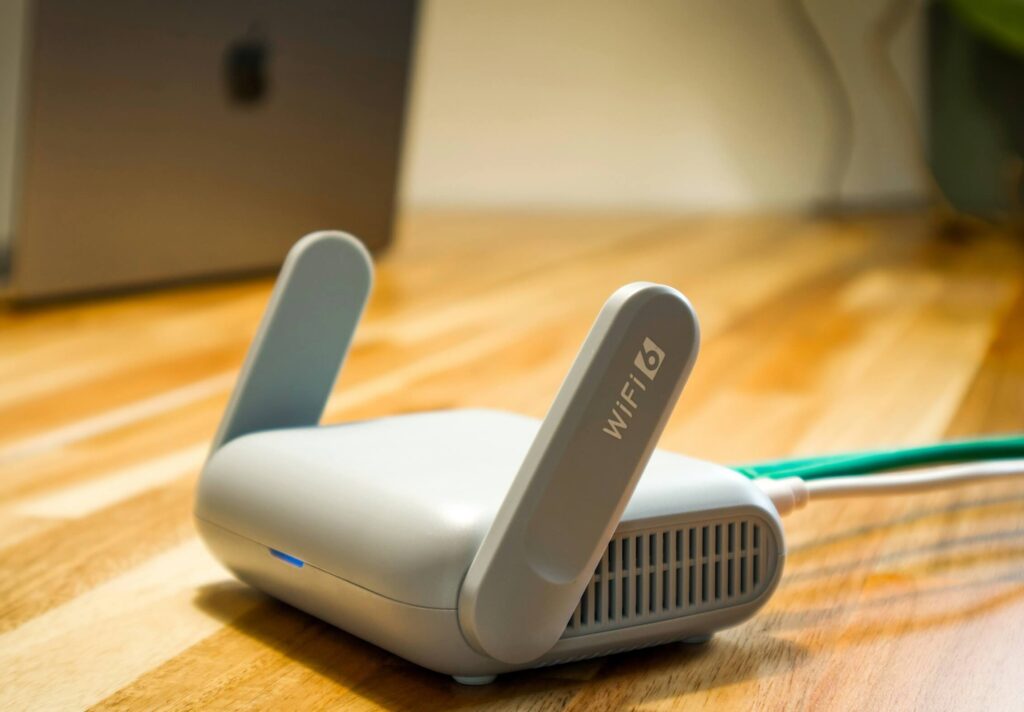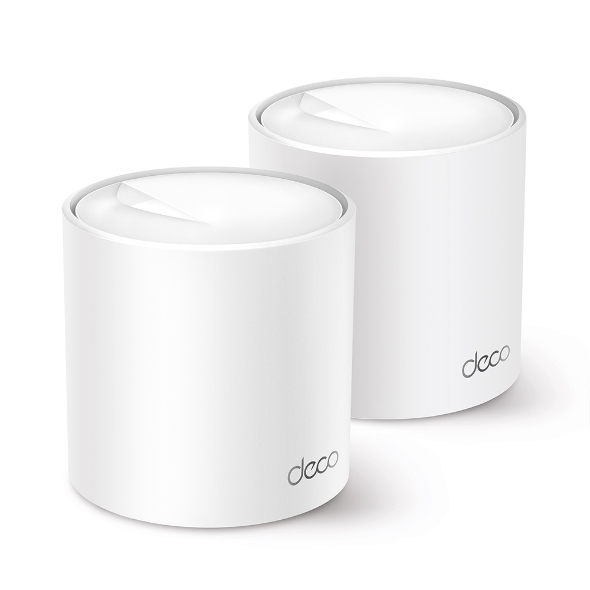
Four routers that actually address what breaks Wi-Fi in Malaysian and Filipino homes — concrete walls, condo congestion, and ISP boxes built to a price, not your floor plan.
netdaemons.com · Home & SMB Series · Article #31 · 25 September 2026
Your PLDT or Unifi plan promises 300 Mbps. Your phone in the bedroom shows two bars and a spinning wheel. That gap between what you’re paying for and what actually reaches your device is almost never the ISP’s fault — it’s the free router sitting in the living room.
This guide to the best Wi-Fi routers for Malaysia and the Philippines in 2026 looks at four routers worth buying instead of that bundled box — two single units and two mesh systems — checked against live Lazada Malaysia and Lazada Philippines listings, ISP documentation, and manufacturer support pages, not spec-sheet marketing copy.
ISPs bundle a router to get your fibre connection working on day one, not to fill a three-bedroom flat or a two-storey terrace house with usable Wi-Fi. It does fine at close range and falls apart the moment a concrete wall, a floor slab, or your neighbour’s dozen other 5GHz networks get involved.
Quick Comparison
| Product | Price (MY / PH) | Wi-Fi Standard | Best For | Verdict |
| TP-Link Archer AX23 | RM229 / ₱3,590 | Wi-Fi 6, AX1800, single router | 1–2BR flats, light-moderate use | Cheapest legitimate Wi-Fi 6 step up from an ISP box |
| TP-Link Archer AX73 (AX72 in some listings) | RM499 / ₱7,490 | Wi-Fi 6, AX5400, single router | 3BR homes, WFH plus gaming | Best single-router all-rounder for most households |
| TP-Link Deco X20 (2-pack) | RM599 / ₱4,290 | Wi-Fi 6, AX1800, mesh | 2-storey houses, concrete condos | Cheapest genuine mesh upgrade, not a repeater |
| TP-Link Deco X60 (2-pack) | RM899 / ₱7,490 | Wi-Fi 6, AX3000, mesh | Gigabit-class plans, heavier households | Faster backhaul — worth it only if your plan can use it |
| Disclaimer: General — the NetDaemons team has researched this article at time of writing (September 2026) using live retailer listings and manufacturer documentation. Router availability, firmware, and features change without notice — verify current specifications directly with TP-Link before purchasing. Some ISPs restrict, discourage, or simply do not document support for third-party routers, and policies vary by provider and by country; NetDaemons cannot guarantee that any router recommended here will work on your specific connection or plan, including bridge-mode access — confirm compatibility and any router-related terms with your own ISP before buying. Pricing: prices mentioned are indicative street prices on Lazada/Shopee at time of writing, not guaranteed selling prices, and vary by SKU, bundle, and ongoing promotions. Availability: stock and specific pack configurations (2-pack vs 3-pack) are indicative and may change. Verdicts: recommendations reflect the independent technical opinion of the NetDaemons team; this article contains no affiliate links. |
Stop — Answer These Questions Before You Buy
1. Is this actually a router problem?
Run a speed test standing next to the router first. If you get close to your plan’s advertised speed there but it collapses two rooms away, the router is the bottleneck and this guide will help. If you can’t hit your plan speed even standing next to it, call your ISP before spending on hardware — a new router will not fix a provisioning or line issue.
2. Do you actually need mesh, or just a better single router?
Under roughly 90 square metres on one floor, a good single router usually reaches every room. Mesh earns its price on two-storey houses, long or L-shaped units, and homes with more than one concrete or brick wall between the router and where you sit.
3. Will your ISP even let you replace their router?
Some Unifi, Maxis, and PLDT plans bundle the router inside a combined modem-router unit. Bridge mode fixes this, but not every plan supports it without a support ticket — check before buying (see the disclaimer above).
4. How many devices are actually competing for airtime?
Two phones and a laptop need far less than four streaming devices, a work laptop, three phones, and a smart TV at once. Count honestly — Wi-Fi 6’s real advantage shows up past roughly 10–15 connected devices, not three.
What Your Budget Actually Buys
Under RM230 / ₱3,600, you’re buying a genuine step up from an ISP-bundled router — Wi-Fi 6 instead of Wi-Fi 5, better range, a proper admin interface — but still one radio covering the whole home.
Around RM500 / ₱7,500, you get meaningfully more radio power and CPU headroom, so the router doesn’t choke with ten devices active at once — genuinely the sweet spot for most single-floor homes.
Mesh runs RM600–900 / ₱4,300–7,500 for two nodes, and the two markets don’t line up the way you’d expect. In Malaysia, the single AX73 (RM499) costs less than the budget Deco X20 mesh kit (RM599). In the Philippines, the AX72 single router and the Deco X60 premium mesh kit are priced identically (₱7,490), while the Deco X20 is the cheapest option on the table at ₱4,290. Check your own market’s numbers before assuming mesh always costs more.
The Routers
TP-Link Archer AX23 — RM229 / ₱3,590
What it does well:
- Genuine Wi-Fi 6 (AX1800) at ISP-router pricing — a real jump from the Wi-Fi 5 box most Unifi, TIME, PLDT, and Globe accounts ship with.
- Four Gigabit LAN ports, where most bundled ISP routers short-change you to two or three.
- WPA3 security and a usable free Tether app — setup takes under 10 minutes.
Where it falls short:
- Two antennas and a modest radio struggle past more than one concrete or brick wall.
- No mesh capability — if your home outgrows it, you’re buying different hardware, not more units of this one.
- Modest CPU — expect noticeable slowdown past roughly 15–20 active devices.
Who should skip it: Two-storey houses, long or L-shaped units, or households with several heavy users plus IoT devices — the AX73 or a mesh kit saves a second purchase later.
WFH verdict: Fine for one person on video calls in the same room as the router. Move two rooms away with a concrete wall in between and expect call quality to drop.
Gaming verdict: Acceptable for casual and moderate online gaming on a wired connection near the router. Wi-Fi gaming from a bedroom two walls away will show inconsistent ping.
Streaming verdict: Handles one or two simultaneous 4K streams near the router without issue. Push three or more across different rooms and expect buffering.
Value for money verdict: The strongest case for this router is a small flat with the router centrally placed and no more than 4–6 people’s devices online. Below that, it’s honest value; above it, you’ll likely be back here in six months.
TP-Link Archer AX73 (sold as “AX72” on some listings — same hardware, regional naming) — RM499 / ₱7,490
What it does well:
- AX5400 speed class with a genuinely stronger 4T4R radio — six antennas and beamforming noticeably extend range compared to the AX23.
- 1.5GHz triple-core CPU handles more simultaneous connections without the slowdown budget routers show under load.
- A USB 3.0 port for basic network storage or printer sharing — a feature most routers at this price drop entirely.
Where it falls short:
- Still a single unit — a two-storey terrace house or a long shophouse unit keeps a weak spot at the far end regardless of radio strength.
- TP-Link’s HomeShield security suite is meaningfully more capable on a paid tier — the free tier is basic.
- No Wi-Fi 6E or multi-gig WAN port, so it won’t suit a future 2 Gbps-plus fibre plan.
Who should skip it: Households already committed to a two-storey or long floor plan — put the same budget toward the Deco X20 below instead.
WFH verdict: Handles multiple simultaneous video calls across different rooms in a standard single-floor 3-bedroom home comfortably — this is the router most WFH households in Malaysia and the Philippines should look at first.
Gaming verdict: Strong wired performance and noticeably steadier Wi-Fi ping at range than the AX23, thanks to the stronger radio and beamforming. Serious competitive gamers should still run Ethernet where possible.
Streaming verdict: Comfortably handles three to four simultaneous 4K streams across different rooms in a typical condo or landed-home footprint.
Value for money verdict: This is the router most readers in this guide should actually buy. It costs roughly 2x the Archer AX23 and does considerably more than 2x the job for a typical family home.
TP-Link Deco X20 (2-pack) — RM599 / ₱4,290
What it does well:
- Genuine mesh, not a repeater — each Deco unit is a full access point with its own radio, and devices roam between them without dropping the connection or needing a manual network switch.
- Covers roughly 300 square metres with the 2-pack, comfortably handling a two-storey terrace house or a long shophouse unit that defeats any single router.
- One app, one SSID, parental controls, and basic network security (HomeCare) included with no subscription needed for the essentials.
Where it falls short:
- AX1800 per node — on a gigabit-class fibre plan, inter-node backhaul becomes the bottleneck, not your internet connection.
- Wireless backhaul shares the same 5GHz band as your devices unless you run Ethernet between nodes, quietly reducing satellite-unit throughput under heavy use.
- Two units is often one short for a long shophouse or three-storey home — budget for a third node if needed.
Who should skip it: Anyone on a 500 Mbps-plus or gigabit fibre plan wanting their mesh system to actually deliver that speed at the far node — the Deco X60 below handles this meaningfully better.
WFH verdict: This is where mesh earns its keep — a home office at the far end of the house gets the same signal strength as a room next to the main router, which a single unit simply cannot promise.
Gaming verdict: Fine for casual and moderate gaming throughout the home. Competitive gamers should still wire the gaming PC or console directly to whichever Deco unit is closest, via Ethernet.
Streaming verdict: Handles 4K streaming reliably in every room the mesh covers, including rooms a single router previously left as a dead zone.
Value for money verdict: For a two-storey or unusually shaped home, this is a better use of the same money than a stronger single router — you’re solving a coverage problem that raw radio power alone doesn’t fix.
TP-Link Deco X60 (2-pack) — RM899 / ₱7,490
What it does well:
- AX3000 speed class per node with meaningfully faster wireless backhaul than the Deco X20 — the gap between “signal reaches the room” and “full speed reaches the room” narrows considerably.
- Same mesh roaming and single-app management as the X20, plus a Gigabit WAN port that can actually make use of a higher-tier fibre plan.
- Trend Micro-powered HomeShield features (antivirus, IoT protection) are more capable at this tier than on the budget models.
Where it falls short:
- Meaningfully pricier than the X20 for a benefit — full backhaul speed — that mainly matters on a 300 Mbps-plus plan. On 100 Mbps, you’re paying for headroom you can’t use yet.
- Still no dedicated backhaul band — that’s what the pricier Wi-Fi 6E Deco models add — so the shared 5GHz band still splits between devices and inter-node traffic under heavy use.
- Two nodes may still be one short for larger three-storey homes, same caveat as the X20.
Who should skip it: Anyone on a sub-200 Mbps fibre plan — the Deco X20 delivers a near-identical real-world experience at meaningfully lower cost, since your plan speed is the ceiling either way.
WFH verdict: The best option in this guide for a household running several simultaneous video calls, cloud backups, and general work traffic at once — the extra backhaul headroom is genuinely useful under real multi-person load.
Gaming verdict: The strongest Wi-Fi gaming performance in this lineup at range, though a wired connection to the nearest node will still beat Wi-Fi on latency consistency for competitive play.
Streaming verdict: Comfortably handles 4K streaming on multiple devices simultaneously across every room, including 4K to more than one TV at once if your fibre plan supports the combined bandwidth.
Value for money verdict: Worth the premium over the X20 specifically if your fibre plan is 300 Mbps or higher and your household runs several bandwidth-heavy devices at once. Below that threshold, you’re paying for capacity you won’t use for a while.
Region-Specific Considerations
Heat and humidity. Both countries run hot and humid year-round — a router in a closed TV cabinet with no airflow will throttle or reboot far more than one left open. Give it space on at least two sides.
Power fluctuations. Brief brownouts happen in both markets, more so outside major Philippine metro areas. None of these routers include battery backup — a small UPS or surge-protected strip (RM50–100 / ₱500–1,000) is worthwhile where outages are frequent, mainly to avoid repeated hard reboots corrupting settings.
ISP compatibility. Every router here supports standard PPPoE, covering Unifi, Maxis, TIME, PLDT, Globe, and Converge. The real issue isn’t the router — it’s whether your plan’s bundled modem-router can switch to bridge mode without a support call. Check this before buying (see the disclaimer above).
Apartment and condo congestion. High-rise living in Kuala Lumpur, Petaling Jaya, and Manila’s BGC means dozens of overlapping 5GHz networks in range. All four routers support automatic channel selection, but in a crowded building it’s worth manually checking for a clearer channel rather than trusting the default.
Warranty reality. An official Lazada or Shopee brand store in your own country gets you the standard TP-Link regional warranty (commonly 2–3 years — confirm the exact term at purchase). An imported unit from a different country’s store usually voids local warranty support, since the regional service centre won’t service serials registered to a different market.
| Industry pattern — sourced from public buyer reviews (Lazada/Shopee ratings, Reddit r/malaysia and r/phcentral): A recurring pattern in verified buyer feedback for mesh systems in both markets is dissatisfaction traced to placing satellite nodes too close together, defeating the purpose of mesh, or too far apart, breaking the backhaul link — rather than to the hardware itself. Buyers who follow the manufacturer’s spacing guidance, typically one room rather than one floor between nodes, report fewer coverage complaints. |
When to Spend More
Your home has more than one floor, or is longer than it is wide. A single router’s radio pattern is roughly spherical — it doesn’t reach around corners or up stairwells well. Mesh stops being a luxury and starts being the only realistic fix once your floor plan works against radio physics.
Your fibre plan is 300 Mbps or faster. Below that, a budget router or the base Deco X20 delivers essentially the same real-world speed as pricier hardware, because your plan is the bottleneck either way. Above it, the router’s own radio and backhaul speed start to matter, and the AX73 or Deco X60 earn their price.
More than 15–20 devices are active on your network at once. This is where Wi-Fi 6’s device-handling features actually show up as a difference you can feel, not just a spec-sheet number.
| Engineering note: OFDMA (Orthogonal Frequency-Division Multiple Access) lets a Wi-Fi 6 router split a single transmission into smaller chunks and serve several devices at once, instead of finishing one device’s request before starting the next. MU-MIMO does something similar for simultaneous data streams. Both matter most when many devices compete for airtime at once — exactly the condo and multi-device household scenario common in both markets. |
Team NetDaemons Verdict
The following reflects the independent assessment of the NetDaemons team. None of the four routers is wrong — the right one depends on your floor plan and fibre plan, not the highest number on the box.
| NetDaemons take: Most people in a standard flat or single-floor home — TP-Link Archer AX73. It costs meaningfully more than the entry AX23 and earns it in range and headroom. |
| NetDaemons take: Tightest budget, small flat, light use — TP-Link Archer AX23. An honest, if basic, upgrade from whatever your ISP handed you. |
| NetDaemons take: Two-storey house or an unusually long or L-shaped unit — TP-Link Deco X20 (2-pack). Solves a coverage problem no single router, regardless of price, can fully fix. |
| NetDaemons take: Gigabit-class fibre plan and a household of heavy simultaneous users — TP-Link Deco X60 (2-pack). The only option here that won’t waste part of a fast plan on the way to your bedroom. |
Whichever you pick, place it centrally, keep it off the floor and out of a closed cabinet, and check your ISP’s bridge-mode policy before you buy — not after.
Have a specific ISP, unit layout, or router question for Malaysia or the Philippines? Drop it in the comments — we read every one.
Related Articles
| Article | Why it is relevant | Status |
| Best Mesh Wi-Fi Systems in India Under ₹15,000 | Same mesh-vs-single-router decision framework | LIVE |
netdaemons.com · Home & SMB Series · September 2026 · See full disclaimer above. Prices and availability vary by retailer and change without notice. This article contains no affiliate links.