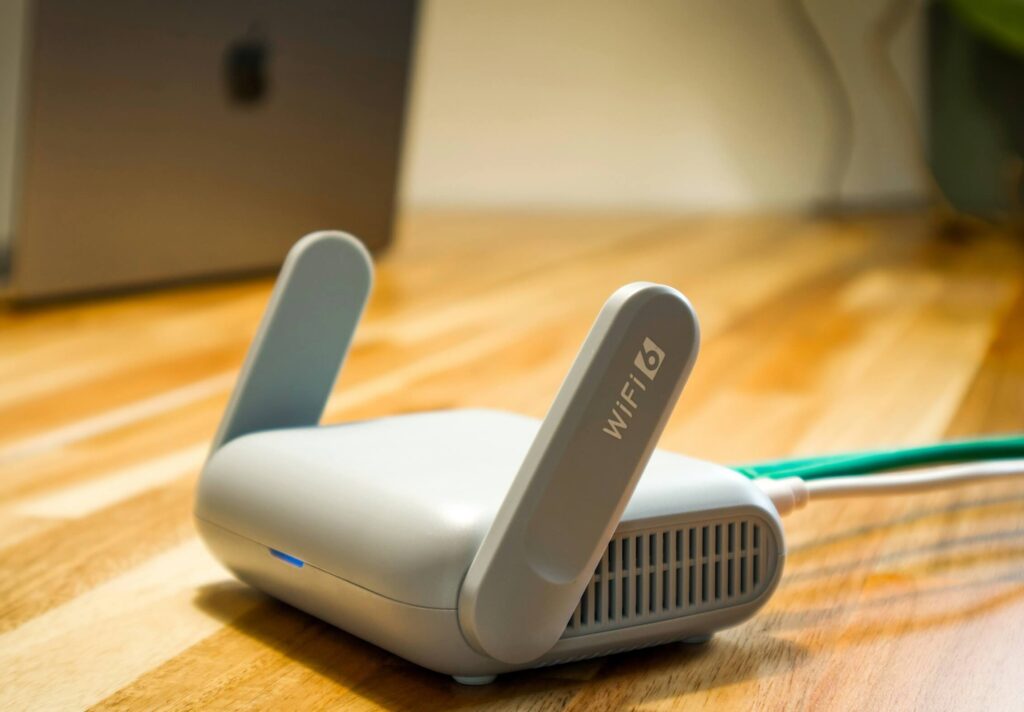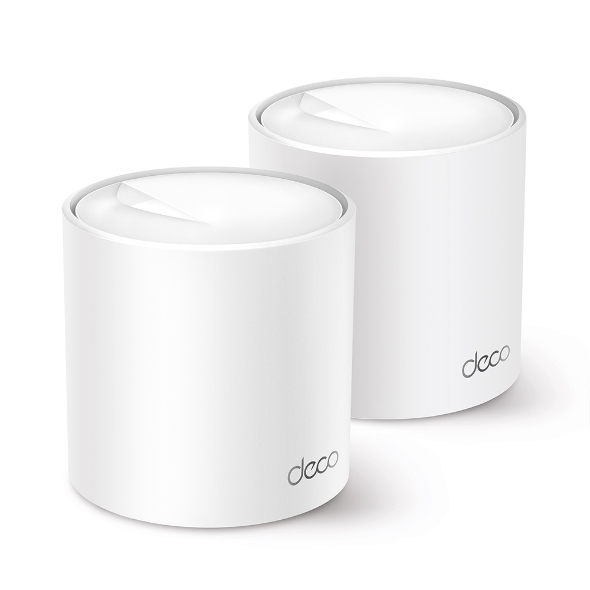
You want Jio at your address. Here’s how to pick between the two very different ways they can get it there.
netdaemons.com · Home & SMB Series · Article #38 · 20 October 2026
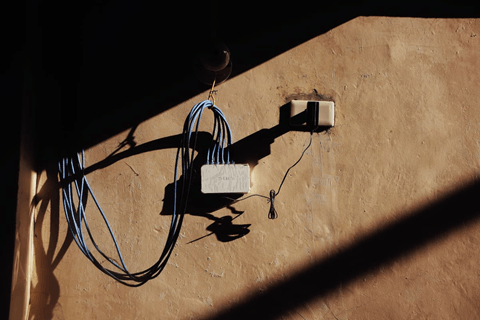
You called Jio to get a connection, and the agent mentioned two options you didn’t know existed. Comparing Jio AirFiber vs Jio Fiber on paper, both promise similar speeds and both have “Jio” in the name — the person on the phone probably couldn’t explain the real difference beyond “one needs a cable, one doesn’t.”
That difference matters more than the sales pitch suggests. One runs over an optical cable to your building; the other runs over a 5G radio link from a nearby tower to a box on your wall. They behave differently in a thunderstorm, cost differently to install, and one isn’t available at a meaningful fraction of Indian addresses yet.
This article tells you which one fits your address, your usage, and your building — not which one Jio would rather sell you.
| Disclaimer — General: The NetDaemons team has researched this comparison using publicly available information and verified buyer feedback as of early October 2026. Jio AirFiber and Jio Fiber plans, pricing, and coverage change frequently and without notice — confirm current details directly with Jio before making any decision. Pricing: All prices mentioned in this article are indicative figures based on publicly reported Jio tariffs and may not reflect current pricing, promotional offers, GST, or region-specific variation. Always verify exact pricing on jio.com or the MyJio app before subscribing. Availability: Jio Fiber and Jio AirFiber coverage varies by exact address, not just by city or pincode, and is subject to change. Confirm actual availability and expected installation timeline for your specific building directly with Jio before committing to either service. Verdicts: Recommendations reflect the independent technical opinion of the NetDaemons team based on publicly available information and general engineering characteristics of FWA versus FTTH technology. This article contains no affiliate links and no commission is earned from any recommendation in it. |
Jio AirFiber vs Jio Fiber: Quick Comparison
| Factor | Jio AirFiber | Jio Fiber |
| Underlying tech | 5G Fixed Wireless Access — radio link to a nearby tower | Fibre-to-the-home (FTTH) — optical cable to your building |
| Entry price | From roughly ₹599/month (verify current pricing on jio.com) | From roughly ₹399/month (verify current pricing on jio.com) |
| Top speed tier | Up to 1 Gbps on higher plans, subject to tower load | Up to 1 Gbps standard, higher tiers in select cities |
| Installation | Outdoor unit + indoor router, no digging, typically 1–3 days | Cabling to the building, can take 1–3 weeks depending on approvals |
| Reliability in bad weather | Can dip or drop during heavy rain, fog, or high wind | Essentially unaffected by weather |
| Where it works | Anywhere with a nearby Jio 5G tower and clear line of sight, including many towns fibre hasn’t reached | Only where Jio has laid fibre to your building or street |
| One-line verdict | The practical option when fibre isn’t available or install speed matters | The better option whenever it’s actually available at your address |
A word on these numbers: Jio’s plans and prices change often enough that any figure here can be weeks stale by the time you read it. Treat the table as a starting reference, not a quote — confirm current plans and exact pricing for your city directly on jio.com or the MyJio app before you commit to anything.
Stop — Answer These Questions Before You Choose
Is fibre actually available at your address, or just “in your city”? Jio Fiber coverage is announced by city but laid street by street. Ask the installation team for a yes or no on your specific building, not your pincode.
Do you have a clear line of sight to a Jio tower? AirFiber needs the outdoor unit to see a nearby tower without a taller building, water tank, or tree cover blocking it. If you face an inner courtyard or sit on a low floor between taller blocks, ask the installer to test signal strength before paying anything.
How much does an installation delay actually cost you? If you need internet working this week, AirFiber’s 1–3 day setup beats Fiber’s trenching timeline easily. With a few weeks of slack, that advantage disappears.
Is this a larger household with many simultaneous users? More people on calls, streaming, and gaming at once means more sustained load. Fibre handles that more predictably than a shared radio link, especially during evening peak hours when everyone on your AirFiber tower is online together.
What Your Monthly Spend Actually Buys
Both services are priced close enough that the decision usually isn’t about money — it’s about what’s physically possible at your address. Spending more on AirFiber buys a higher speed cap, not better reliability; weather sensitivity doesn’t improve on costlier plans. Spending more on Fiber buys genuinely more headroom, since the cable itself isn’t the bottleneck at typical household usage.
OTT bundles on higher tiers are a real value-add only if you’d pay for those subscriptions anyway. Don’t let bundled content upsell you past the speed tier you actually need.
Jio AirFiber — 5G Fixed Wireless
What It Genuinely Does Well
Installation is fast — no cable to lay, just an outdoor unit paired with an indoor router, online the same week in most cases. This makes it the practical choice for a new tenant, a short-notice setup, or anyone in a locality fibre hasn’t reached.
It reaches addresses fibre physically cannot. Many tier-2 and tier-3 towns have usable Jio 5G coverage years before anyone lays fibre down that street.
Based on verified buyer feedback, day-to-day browsing, streaming, and calls perform close to fibre when the tower isn’t under heavy local load and line of sight is clean.
Where It Falls Short
The connection is a radio link, so it inherits radio-link problems. Heavy rain, fog, and high wind can cause brief dips or drops — seconds at a time, not hours, but noticeable mid-call or mid-stream.
Latency runs higher and less consistent than fibre — commonly 25–50ms with spikes at peak hours, against fibre’s low, flat latency. Invisible for browsing and streaming; not invisible for anything latency-sensitive.
Performance depends on how many neighbours share your specific tower, which you can’t see or control. Based on verified buyer feedback, a connection fine at setup degrading as more households join the same tower is the most common complaint.
Who Should Skip It
Skip it for latency-sensitive work — trading terminals, competitive gaming, or video work where a freeze is costly. Skip it also if Fiber is confirmed available; there’s rarely a reason to pick the weather-dependent option when the wired one is on offer.
WFH Verdict
Fine for calls, email, document work, and VPN access under normal conditions. The risk is a dropped call during a storm or a congested evening — acceptable for most office work, less so for client-facing calls where a visible freeze costs you.
Gaming Verdict
Workable for casual and moderate gaming. Not the choice for competitive play where ping matters — peak-hour latency spikes will show up exactly when you can least afford them.
Streaming Verdict
No meaningful difference from fibre for Netflix, Prime Video, or JioCinema under normal conditions, since streaming buffers ahead of small hiccups. The exception is live sport, where a buffering pause during a crucial moment is something you’ll actually notice.
Jio Fiber — Fibre-to-the-Home
What It Genuinely Does Well
Reliability is the entire case for fibre. An optical cable doesn’t care about rain, fog, heat, or wind — once installed correctly, it simply keeps working. This is the single biggest practical difference between the two services.
Latency is low and consistent, which matters more than raw speed for calls, cloud gaming, remote desktop access, or trading platforms where every millisecond shows.
Higher tiers genuinely deliver sustained throughput for multiple simultaneous heavy users — several 4K streams, large uploads, and calls running together without one user slowing another.
Where It Falls Short
Availability is the real constraint, not price or performance. Jio has to have physically laid fibre to your building, and in many Indian cities that’s still street-by-street, especially in newer developments.
Installation can take a few days to a few weeks depending on existing cabling, society approvals, and the local team’s backlog — the opposite trade-off from AirFiber: better end performance, slower to get connected.
Running a new cable into an older building or a heritage-restricted property can mean negotiating with building management in ways that add real delay.
Who Should Skip It
Skip Fiber only if it isn’t available yet. Moving in under time pressure with a three-plus-week quote? AirFiber as a stopgap while you wait is reasonable.
WFH Verdict
The stronger choice for sustained office work — client calls, screen sharing, VPN access — where a weather-related dip would be visible to people outside your household. If income depends on an unbroken connection, fibre’s weather-immunity is worth the longer wait.
Gaming Verdict
The clear choice for competitive play or anyone who cares about consistent ping. Low, flat latency doesn’t degrade as more neighbours join a shared tower, because there is no shared tower.
Streaming Verdict
Handles multiple simultaneous 4K streams across a household without one person’s Netflix affecting another’s call — sustained throughput shows up here more than in single-user streaming, where AirFiber already does fine.
What’s Actually Different About This in India
Your apartment’s Wi-Fi congestion exists regardless of which one you pick. Neither service fixes a crowded 2.4GHz band in a building with 50 to 100 overlapping networks — the norm in dense Indian complexes. Switching ISPs won’t fix a Wi-Fi dead zone; a mesh system or better router placement will.
AirFiber’s outdoor unit placement matters more here than the marketing suggests. It needs clear line of sight to a tower, which on a typical balcony often means direct summer sun for hours. With 35–42°C ambient temperatures routine from March through June, outdoor electronics in direct sun run hotter still — ask the installer about shaded mounting; a few degrees of shade extends hardware life in this climate.
Power backup matters differently for each service. A Fiber ONT draws very little power and runs on a small UPS for hours during load-shedding. AirFiber’s outdoor unit plus router draws more — if your locality has outages, confirm you can power through a cut, since a connection that goes dark the moment the power does defeats the point of choosing the “more available” option.
Switching from ACT Fibernet, Airtel, or BSNL involves more than signing up with Jio. Some gated societies require RWA approval for a new provider’s drilling or external mounting — this affects AirFiber’s outdoor unit more than Fiber’s single-point cable entry. Check your society’s rules first.
Villas and larger independent homes face a different calculus. Wi-Fi from either service’s supplied router is unlikely to reach every room in a freestanding home or duplex — that’s a router and mesh problem, not an ISP problem. Budget separately for mesh coverage past roughly 1,500–2,000 sq ft across multiple floors.
Service response varies less by which Jio service you pick than by your local centre’s responsiveness, which differs between metro and non-metro areas. Ask your installer how complaints are handled in your specific locality.
When to Spend More
You run a business or do client-facing work from home. A dropped call costing you credibility or money makes a higher Fiber tier’s marginal cost trivial by comparison — wired reliability beats the headline speed number here.
Multiple people are online during the same peak hours. A larger household with several people on calls, streaming, and browsing together benefits from a higher tier’s sustained throughput more than a single user would.
Fiber is available but AirFiber’s faster install tempts you. Waiting the extra week or two usually pays off in reliability — unless the delay has a genuine cost, like a WFH start date you can’t move.
Team NetDaemons Verdict
If Jio Fiber is confirmed available at your address — take it. Weather-immunity and consistent latency outweigh AirFiber’s faster setup for almost every usage pattern here.
If Fiber isn’t available and you need internet quickly — AirFiber is a reasonable choice, not a compromise. For browsing, streaming, moderate gaming, and standard WFH use, it performs close to fibre on all but the worst-weather days.
Choosing AirFiber now versus waiting three-plus weeks for Fiber? The honest answer depends on what the wait costs you. A missed WFH start date has a real cost; a few weeks of slower setup usually doesn’t.
Whichever you choose, confirm current pricing and your building’s actual coverage status directly with Jio before paying any installation fee — availability maps are frequently optimistic about street-level coverage.
Before you commit: ask the installing technician to test actual signal strength (AirFiber) or confirm existing cabling (Fiber) at your specific unit, not just your building’s address, before any payment changes hands.
Related Articles
How to Set Up a VLAN at Home: Engineer’s Step-by-Step — netdaemons.com
Best Wi-Fi Extenders and Powerline Adapters in India Under ₹3,000 — netdaemons.com
How to Fix Wi-Fi Dead Zones in Indian Apartments — netdaemons.com
netdaemons.com · Home & SMB Series · October 2026 · See full disclaimer above. Jio plan pricing changes periodically — verify current plans at jio.com before purchase. This article contains no affiliate links.