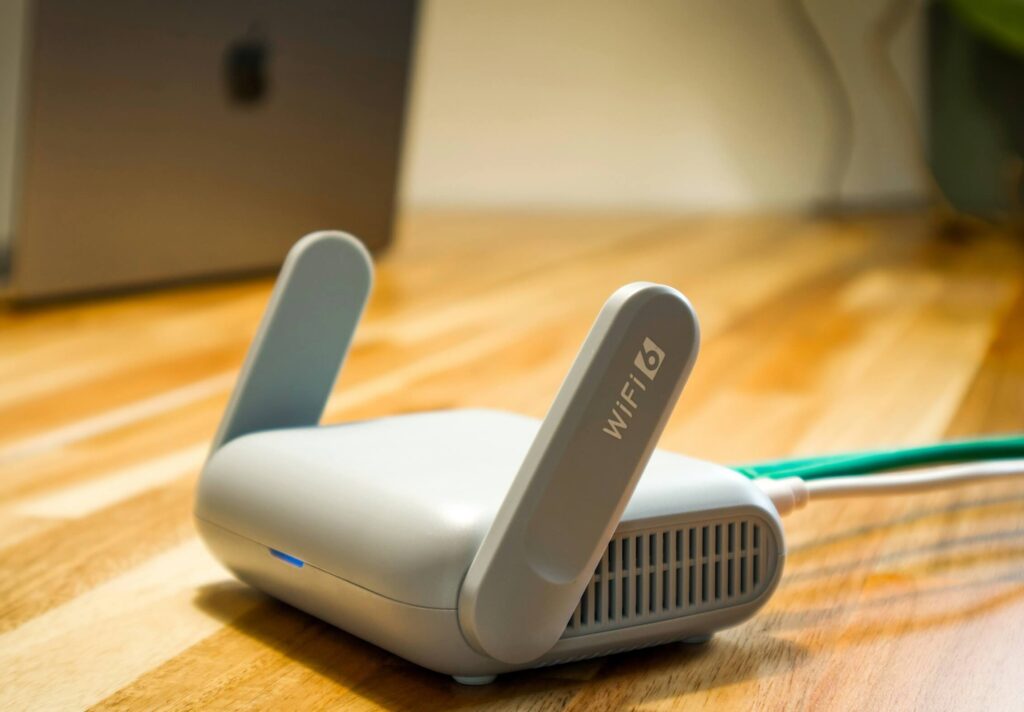
Your router ran out of LAN ports months ago. Here’s what actually fixes it — and what to skip.
netdaemons.com · Home & SMB Series · Article #30 · 22 September 2026
| Disclaimer: General: Researched at time of writing. Some marketplace listings misstate specifications — as we found and corrected for one product here — so verify VLAN, PoE, and port specs against the manufacturer’s own page before buying. Pricing: Indicative Amazon India prices captured 14 September 2026, not guaranteed. Availability: Indicative and may change. Verdicts: Independent NetDaemons opinion. This article contains affiliate links — NetDaemons may earn a commission at no extra cost to you. |
Count your wired devices honestly. Work laptop, smart TV, gaming console, a NAS, a camera or two, maybe a desktop for the kids — your ACT Fibernet or Jio router gives you two to four LAN ports, and you ran out months ago.
This is the best ethernet switches for home lab India 2026 comparison for anyone who has outgrown their router’s ports and wants a network that holds up, not a temporary fix. Most people solve this by buying a second router and running two networks that don’t talk to each other, or by daisy-chaining unmanaged switches bought across separate orders.
Both create more problems than they solve. Double NAT breaks port forwarding for your NAS, and unmanaged daisy-chains turn a dropped connection into a guessing game.
A dedicated switch, sized for what you actually connect, solves this in one purchase — not for Wi-Fi range, but for wiring your home or office properly.
Best Ethernet Switches for Home Lab India 2026 — Quick Comparison
| Product | Price | Type | Best For | Verdict |
| TL-SG1008D | ₹1,899 | Unmanaged | Just need more ports, no VLANs | Plug in and forget — no config, does one job well |
| TL-SG105E | ₹1,799 | Easy Smart (VLAN/QoS) | Cheapest real VLAN entry point | Smaller than #1 but genuinely smarter — worth it for segmentation |
| TL-SG108E | ₹3,199 | Easy Smart (VLAN/QoS/LAG) | Most home-lab VLAN setups | The one most readers actually need |
| LS108GP | ₹4,159 | Unmanaged + PoE (4×PoE+, 62W) | Powering APs/cameras without injectors | Buy only if you have PoE gear to power |
| ES224G | ₹7,599 | Omada Easy Managed, L2+ | Outgrowing 8 ports, multi-VLAN + Omada | The graduate option — don’t buy this first |
Stop — Answer These Questions Before You Buy
Do you need more ports, or better organisation? Five devices needing a wired connection with no interest in configuration means an unmanaged switch is genuinely enough. VLANs solve segmentation — they don’t add ports faster.
Are you powering anything with PoE? A camera or access point on its own power adapter is a sign you want PoE built into the switch instead.
Where will this switch physically sit? Inside a closed TV unit in a Chennai or Delhi summer is a different environment from an open shelf — airflow matters more than most guides admit.
How many wired devices will you have in two years, not today? Buying exactly for today’s count means buying again in eight months.
What Your Budget Actually Buys
Under ₹2,000 gets a genuine gigabit switch — unmanaged (TL-SG1008D) or Easy Smart with VLANs on fewer ports (TL-SG105E). Both are well-built for the price.
₹3,000–4,000 buys real VLAN control across eight ports — tagged VLANs, QoS, link aggregation. This is where most home-lab and work-from-home segmentation actually happens.
₹4,000–4,500 with PoE (LS108GP) isn’t a “better” switch than the SG108E — it’s a different job, and you’re paying for the PoE budget, not smarter software.
Above ₹7,000 buys into TP-Link’s Omada ecosystem and L2+ features. Skip this tier unless you have an actual use for it now or soon.
The Switches, One by One
TP-Link TL-SG1008D — ₹1,899
What it does well: Eight gigabit ports in a metal case, zero configuration, no fan — silent in a media cabinet. Over 16,000 verified buyer ratings in India suggest it holds up over years, not just out of the box.
Where it falls short: No VLANs, no QoS, no isolation between devices. A compromised smart bulb on this switch can see every other device plugged into it.
Who should skip it: Anyone planning to separate work devices from IoT or guest traffic — this switch cannot do that job at any price.
WFH verdict: Fine for wired ports, but it won’t isolate your work laptop from anything else — look at the SG105E or SG108E if segmentation matters to your employer’s policy.
Gaming verdict: A wired connection removes Wi-Fi jitter, which meaningfully helps gaming latency, though there’s no QoS to prioritise it over other traffic.
Streaming verdict: Handles multiple simultaneous 4K streams without issue — switching capacity isn’t the bottleneck here.
TP-Link TL-SG105E — ₹1,799
What it does well: Real VLAN support — port-based, tag-based, and MTU VLAN — on a 5-port switch cheaper than the unmanaged 8-port option above. QoS and IGMP snooping are also present, which most switches at this price skip.
Where it falls short: Five ports fill up fast once you count the router uplink, NAS, a camera, and a desktop. TP-Link’s own documentation lists this as an “Easy Smart” managed switch, though some Amazon listings incorrectly show it as unmanaged — check for “Easy Smart” branding on the box.
Who should skip it: Anyone who already knows they need eight or more ports — buy the SG108E instead.
WFH verdict: The cheapest way to put your work laptop on its own VLAN, away from smart home devices — worth it if segmentation is the actual goal, not just port count.
Gaming verdict: QoS lets you tag gaming traffic for priority, which the unmanaged SG1008D cannot do, though five ports may not leave room for much else.
Streaming verdict: Handles simultaneous streams fine at this port count; IGMP snooping helps if you run an IPTV service.
TP-Link TL-SG108E — ₹3,199
What it does well: Eight ports with the full Easy Smart feature set — VLANs, QoS, link aggregation, port mirroring — backed by 22,000+ verified ratings in India. This is where most home-lab VLAN setups land.
Where it falls short: The management interface is basic compared to a true managed switch — fine for VLANs and QoS, limiting if you want detailed traffic statistics or SNMP.
Who should skip it: Readers who only need plug-and-play expansion with zero interest in VLANs — the SG1008D is cheaper and skips the menu you’ll never open.
WFH verdict: Our default recommendation for separating a work laptop from household IoT devices — set up once, and your employer’s security requirements stop sharing a network with your smart bulbs.
Gaming verdict: QoS keeps game traffic prioritised even when someone else is on a video call or downloading updates, with room for a console, a PC, and normal household devices.
Streaming verdict: No issues with multiple simultaneous 4K streams, and IGMP snooping helps with IPTV or multicast content.
TP-Link LS108GP — ₹4,159
What it does well: Eight gigabit ports with four delivering PoE+, a 62W total budget, in a metal case rated for continuous use. Running a ceiling-mount access point or IP camera, this replaces a drawer of separate power adapters with one cable per device.
Where it falls short: This is unmanaged — no VLANs, no QoS. You get PoE convenience, not network control; pair it with a managed switch upstream if you need both.
Who should skip it: Anyone with no PoE devices — paying for a 62W budget you’ll never use is money better spent on the SG108E.
WFH verdict: Only relevant if your setup includes a PoE-powered access point — otherwise it adds nothing a work-from-home network specifically needs.
Gaming verdict: No QoS means no traffic prioritisation — functionally identical to the SG1008D for a console on a non-PoE port.
Streaming verdict: Handles simultaneous streams fine, though a PoE camera doing continuous recording draws bandwidth 24×7 — budget for that if you add one.
TP-Link ES224G — ₹7,599
What it does well: Twenty-four ports of genuine headroom, Layer 2+ features including static routing, and Omada SDN integration if you add Omada access points later. For readers who’ve outgrown eight ports and don’t want to buy switches every year.
Where it falls short: It’s new enough to TP-Link’s India lineup that it doesn’t yet have the years of verified buyer feedback the SG108E or SG1008D have. The specifications look solid; the long-term reliability track record is still being written.
Who should skip it: Almost everyone reading a home-lab guide for the first time. Twenty-four ports is enterprise-adjacent scale that most home networks won’t fill for years.
WFH verdict: Overkill for a single WFH setup unless you’re also running a home lab with several VMs, a NAS, and cameras, all wanting separate VLANs with room to grow.
Gaming verdict: No meaningful advantage over the SG108E at typical home port counts — you’re paying for scale here, not gaming performance.
Streaming verdict: Comfortably handles many simultaneous streams and a NAS serving 4K media to multiple rooms — exactly where 24 ports earn their keep.
India-Specific Considerations
Cabling reality, not just hardware. Most Indian flats were not built with structured cabling — cables run along baseboards or through a single conduit installed for the router. Adding a switch does not fix a missing cable run; budget for that separately if devices are in different rooms.
Connecting to your ACT Fibernet, Jio, or Airtel router. None of these five switches replace your ISP router — they extend it. Connect one LAN port from your router to any port on the switch; every other switch port now works exactly like a router LAN port, just with your device-count problem solved.
| Engineering Insight — Heat, power, and closed cabinets — A switch inside a closed wooden TV unit in a 40°C summer runs hotter than one on an open shelf — all five switches here are fanless, which helps, but zero airflow still shortens component life. None include surge protection either, so a cheap surge-protected power strip is worth adding, especially outside metro areas. If you run one on inverter or UPS backup during load-shedding, remember the PoE switch (LS108GP) draws meaningfully more power than the unmanaged options — size your backup accordingly if it’s also powering a camera or AP. |
Warranty and service reality. TP-Link’s India service network covers most tier-1 and tier-2 cities reasonably well, but RMA turnaround for a ₹2,000 switch is rarely worth the hassle — keep the invoice, and budget the possibility of just replacing a dead unit outright at this price point rather than pursuing warranty service.
When to Spend More
Running a NAS alongside multiple PoE cameras and a smart home hub justifies the LS108GP’s PoE budget — the alternative is a shelf of separate power adapters and no clean way to manage them.
Planning real VLAN segmentation for work-from-home and IoT isolation justifies the SG108E at minimum. Go to the ES224G only once eight ports genuinely aren’t enough.
Already comfortable with networking concepts and planning to add Omada access points later justifies the ES224G’s SDN integration now, rather than replacing a smaller switch in a year. Beyond that — a serious multi-VLAN lab with 10G aspirations — MikroTik’s CRS-series offers more capability per rupee, but isn’t reliably available via Amazon India and needs a specialist reseller.
Team NetDaemons’ Verdict
The independent assessment of the NetDaemons team, ranked by what most readers should buy first.
1. TL-SG108E (₹3,199) — the switch most readers should buy first. Full VLAN control, enough ports, years of proven reliability.
2. TL-SG1008D (₹1,899) — buy this instead only if you have zero interest in VLANs and just want more ports today.
3. LS108GP (₹4,159) — buy this if and only if you have PoE devices to power. Skip it otherwise.
4. TL-SG105E (₹1,799) — a genuine budget VLAN entry point, best for five-port setups that won’t grow.
5. ES224G (₹7,599) — the graduate option once eight ports and basic VLANs no longer cover your network.
Related Articles
| Article | Why it is relevant | Status |
| How to Set Up a VLAN at Home: Engineer’s Step-by-Step | Configure the VLANs these switches enable | LIVE |
| Best Small Business Firewall Under ₹20,000 India | Pair with a switch for a fuller SMB network build | LIVE |
| Best Enterprise Switches in India 2026 | For readers whose needs exceed home-lab scale | LIVE |
netdaemons.com · Home & SMB Series · September 2026 · See full disclaimer above. Prices and specifications verified at time of writing — verify independently before purchase. This article contains affiliate links.