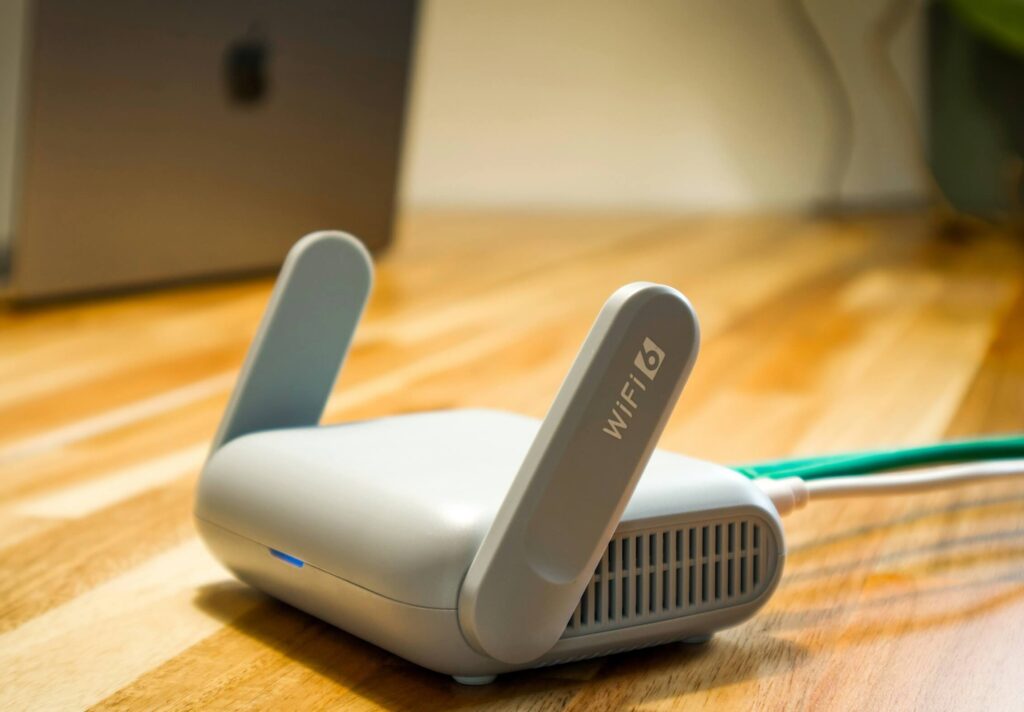
An Engineer’s Honest Assessment — Home & SMB Series — Updated June 2026
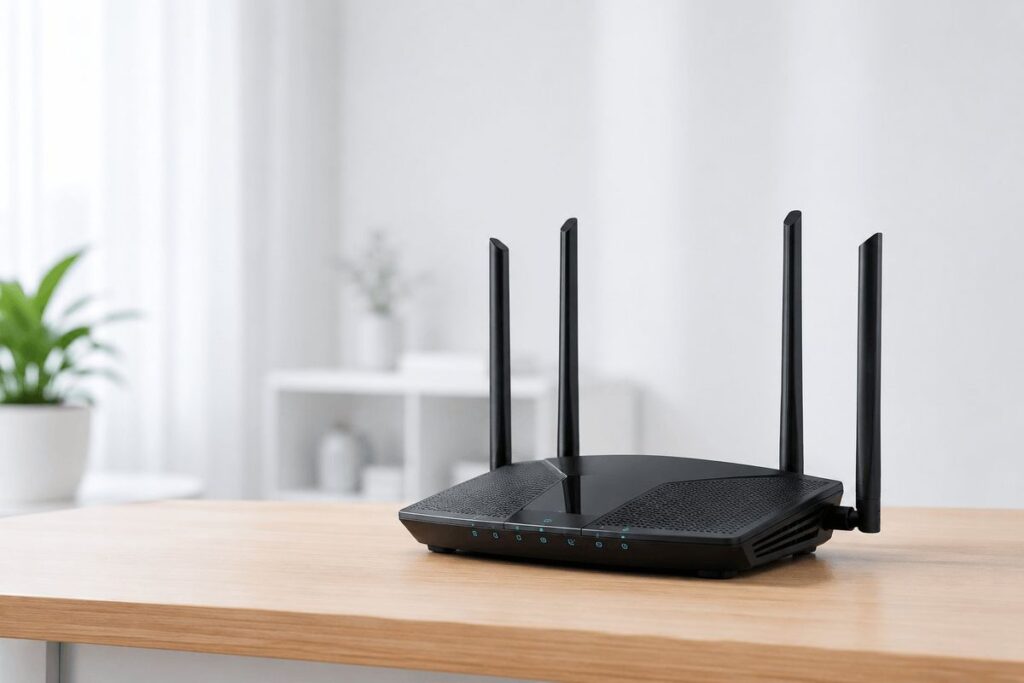
Most Indian homes upgraded the internet plan, but not the router delivering it. The result is a 300 Mbps Jio, Airtel, ACT, or BSNL connection sitting behind a device that cannot hold 40 Mbps two rooms away. This best home Wi-Fi routers India under ₹10,000 guide is written for that exact problem: Indian apartments, ISP ONTs, RCC walls, power cuts, and households where video calls, streaming, gaming, and phones all compete at the same time.
The current street-price reality: four picks are under ₹10,000, while the TP-Link Archer AX72 Pro is slightly above at ₹10,499 during L2 review. It remains included as a stretch pick because the 2.5G port changes the buying decision for 500 Mbps and gigabit-class plans.
At a Glance: Quick Comparison
| Router | Verified price | Wi-Fi standard | Best for | NetDaemons verdict |
| TP-Link Archer AX72 Pro | ₹10,499 | Wi-Fi 6 AX5400 | 500 Mbps+ plans, 15+ devices | Stretch pick: 2.5G port makes it future-ready |
| TP-Link Archer AX53 | ₹5,999 | Wi-Fi 6 AX3000 | Most 2–3BHK apartments | Default recommendation for most homes |
| TP-Link Archer Air R5 | ₹7,149 | Wi-Fi 6 AX3000 | Wall-mounted ONT locations | Solves awkward Indian apartment placement |
| ASUS RT-AX53U | ₹4,999 | Wi-Fi 6 AX1800 | Power users, dual-ISP homes | Dual-WAN and VPN under ₹5,000 |
| D-Link M30 | ₹4,499 | Wi-Fi 6 AX3000 | Budget buyers needing coverage | Lowest price with strong coverage claim |
Prices verified against Amazon India listings on 29 June 2026. Verify again before scheduling and before every major sale event — router prices fluctuate frequently.
| Disclaimer General: The NetDaemons team has researched and cross-checked pricing, availability, specifications, and product-positioning claims at time of review. Readers should independently verify current listings, warranty terms, and ISP compatibility before purchase. Pricing: All prices are indicative Amazon India street prices, not guaranteed selling prices. Router discounts change frequently by seller, coupon, stock, and card offer. Availability: Availability is indicative. Products may go out of stock, be replaced by newer variants, or shift between authorised and marketplace sellers. Verdicts: Recommendations reflect the independent technical opinion of the NetDaemons team, based on published specifications, verified listing data, buyer-signal review, and field experience. This article contains affiliate links — if you purchase through these links, NetDaemons may earn a commission at no extra cost to you. |
1. Stop — Answer These Questions Before You Buy
These four checks decide whether a new router solves the issue or whether the real fix is free.
- Is your ISP device in router mode or bridge mode? Most Jio and Airtel connections use an ONT (Optical Network Terminal — the fibre box that converts optical signal to Ethernet). If you plug a new router behind the ISP box without bridge mode, you can create double NAT (two devices doing address translation), which affects port forwarding, gaming, and some video-call behaviour.
- What speed do you get on a wired test? Connect a laptop directly to the ONT or ISP router LAN port. If wired speed is poor, call the ISP. If wired speed is good but Wi-Fi is poor, a router upgrade is justified.
- How many RCC walls are between router and farthest device? Reinforced concrete cuts 5 GHz Wi-Fi heavily. For larger homes or multi-floor homes, a mesh system may be a better purchase than one expensive router.
- How many devices are active at peak time? Count phones, laptops, TVs, tablets, cameras, smart speakers, and watches. A 15-device evening load needs more CPU and radio headroom than a two-laptop WFH setup.
| Honest takeaway: Before spending money, move the existing router to a central, elevated, open location with 20 cm clearance on all sides. In many Indian flats, that free change improves Wi-Fi more than a hardware upgrade. |
2. Best Home Wi-Fi Routers India Under ₹10,000: What This Budget Buys You
Every router in this guide supports Wi-Fi 6 (802.11ax — the current mainstream Wi-Fi standard that handles multiple devices better than Wi-Fi 5). The practical improvement comes from OFDMA (a scheduling feature that lets the router serve several devices more efficiently) and better CPU headroom under household load.
The AX number is not a real-world speed promise. AX3000, for example, combines theoretical 2.4 GHz and 5 GHz maximums. What matters more in Indian homes is placement, wall loss, band congestion, and whether the router has enough processing capacity when everyone is online.
What this budget does not usually buy: tri-band radios, 6 GHz Wi-Fi, or multi-gigabit ports on every model. That is why the AX72 Pro is included as a stretch pick — its 2.5G port prevents the wired bottleneck that appears when fibre plans move beyond 1 Gbps.
3. The Five Routers Reviewed
TP-Link Archer AX72 Pro — Stretch Pick for Fast Plans
Price verified: ₹10,499 · Wi-Fi 6 AX5400 · 1× 2.5G WAN/LAN + Gigabit ports + USB 3.0
| NetDaemons take: Buy this only if your broadband plan is already 500 Mbps+ or you expect to upgrade soon. The 2.5G port is the reason to stretch above ₹10,000. |
What it does well
- The 2.5G WAN/LAN port avoids the 1G wired ceiling and is useful for gigabit-class fibre.
- AX5400 radio headroom handles 4K streaming, WFH calls, downloads, and many active devices better than AX1800/AX3000 budget models.
- USB 3.0 storage sharing is useful for light home-file sharing.
Where to be careful
- Still dual-band, not tri-band. Dense high-rises with heavy neighbour interference may still need mesh.
- The 2.5G benefit requires a Cat5e/Cat6 patch cable and a compatible ONT or LAN device.
Best fit: Large 2–3BHK homes, 15+ active devices, 500 Mbps and above plans, or users planning a gigabit upgrade.
Skip it if: Your plan is 100–300 Mbps with fewer than 10 active devices — the AX53 gives better value there.
👉 Check current price on Amazon India
TP-Link Archer AX53 — Best Mid-Range Pick
Price verified: ₹5,999 · Wi-Fi 6 AX3000 · 1× WAN + 4× Gigabit LAN · OneMesh/HomeShield
| NetDaemons take: This is the default recommendation for most Indian 2–3BHK homes on 100–300 Mbps plans. |
What it does well
- AX3000 is the right balance of price and real-world headroom for typical apartments.
- OneMesh lets you expand later with compatible TP-Link extenders.
- The feature set is simple enough for non-technical users but not underpowered.
Where to be careful
- No 2.5G port — not future-proof for gigabit-class plans.
- CPU and radio headroom can show limits with 20+ simultaneously active devices.
Best fit: Most homes on Jio, Airtel, ACT, Tata Play Fiber, or BSNL plans between 100 and 300 Mbps.
Skip it if: Dual-WAN failover, VPN server use, or gigabit upgrade is central to your plan.
👉 Check current price on Amazon India
TP-Link Archer Air R5 — Best for Wall-Mounted ONT Locations
Price verified: ₹7,149 · Wi-Fi 6 AX3000 · Ultra-thin wall-mount design · EasyMesh-compatible
| NetDaemons take: A specific router for a specific Indian apartment problem: the ONT is stuck on the wall near the entry point. |
What it does well
- Wall mounting solves messy and poor-placement installs near the fibre entry point.
- AX3000, EasyMesh compatibility, HomeShield, VPN server, and flexible installation make it more than a design product.
- Smart internal antennas suit flats where shelf space is limited.
Where to be careful
- Smaller buyer evidence base than AX53.
- Internal antennas cannot be manually adjusted — placement matters.
Best fit: Apartments where the ISP ONT is wall-adjacent and there is no clean shelf position for a conventional router.
Skip it if: You can place a normal router centrally on an open shelf — the AX53 is better value in that case.
👉 Check current price on Amazon India
ASUS RT-AX53U — Best Power-User Router Under ₹5,000
Price verified: ₹4,999 · Wi-Fi 6 AX1800 · AiMesh · VPN · AiProtection · USB 4G dongle support
| NetDaemons take: The radio spec is lower, but the feature set is unusually strong below ₹5,000. |
What it does well
- Supports AiMesh, built-in VPN, parental control, QoS, and AiProtection.
- USB 4G dongle support is valuable for backup connectivity where fibre cuts are common.
- Good fit for users who will actually configure the advanced features.
Where to be careful
- AX1800 has less wireless headroom than AX3000 models.
- Not the best set-and-forget choice for purely casual users.
Best fit: Power users, WFH users who need VPN, and homes that want 4G backup or dual-connectivity resilience.
Skip it if: You want maximum Wi-Fi coverage with minimum configuration — the D-Link M30 or AX53 is simpler.
👉 Check current price on Amazon India
D-Link M30 — Best Budget Wi-Fi 6 Pick
Price verified: ₹4,499 · Wi-Fi 6 AX3000 · 4× Gigabit LAN · 5 internal antennas · Smart mesh router
| NetDaemons take: The honest budget choice: lowest verified price in this guide with genuine AX3000 capability. |
What it does well
- D-Link lists AX3000 data rates of 574 Mbps on 2.4 GHz and 2403 Mbps on 5 GHz.
- The spherical 360-degree design helps when router placement is imperfect.
- Good value when price is the primary constraint.
Where to be careful
- D-Link service access can be thinner than TP-Link in some Tier 2/3 cities.
- The mesh ecosystem is less mature than TP-Link OneMesh/AiMesh alternatives.
Best fit: Budget buyers who need better coverage and Wi-Fi 6 without spending above ₹5,000.
Skip it if: Service-centre access in your city is weak, or you plan to build a larger mesh ecosystem later.
👉 Check current price on Amazon India
4. India-Specific Setup Notes
- Bridge mode first: Jio Fiber, Airtel FTTH, BSNL FTTH, ACT, and Tata Play Fiber typically terminate on an ISP-controlled ONT or gateway. Ask for bridge mode or PPPoE/IP passthrough before judging the new router.
- Avoid heat traps: Indian summers can push routers into thermal throttling. Keep the router elevated, uncovered, and away from TV set-top boxes or closed cabinets.
- Use a surge protector: Every router here accepts 100–240V input, but that does not protect it from return-power surges after outages. Budget ₹800–₹1,200 for a decent surge protector.
- Manual band discipline helps: Put TVs, laptops, and work devices on 5 GHz when possible. Keep low-bandwidth IoT devices on 2.4 GHz. In congested apartments, manual band assignment often beats auto-selection.
5. Scenario-Based Buying Shortcut
| Your situation | Pick | Reason |
| 100–300 Mbps plan, normal 2–3BHK flat | TP-Link Archer AX53 | Best balance of price, AX3000 headroom, and expandability |
| 500 Mbps+ plan or near-term gigabit upgrade | TP-Link Archer AX72 Pro | 2.5G port avoids the next wired bottleneck |
| ONT fixed on entry-wall or TV panel | TP-Link Archer Air R5 | Wall-mounted design solves the placement problem cleanly |
| Need VPN, AiMesh, or backup 4G dongle | ASUS RT-AX53U | Feature set is stronger than its AX1800 radio class suggests |
| Strict budget below ₹5,000 | D-Link M30 | Lowest verified price with AX3000 specification and wide coverage positioning |
| Do not buy by antenna count alone. External antennas help only when the router is placed well. A six-antenna router inside a TV cabinet will still lose to a modest router placed centrally in open air. In Indian apartments, placement, band selection, and bridge-mode configuration decide real experience before raw specifications do. |
For WFH households, the first upgrade after router placement is usually stability, not peak speed. A router that lets work laptops stay on 5 GHz, keeps IoT devices on 2.4 GHz, and avoids double NAT will feel faster than a higher-AX model configured poorly.
For gaming households, wired Ethernet from router to console or PC is still the cleanest latency fix. Wi-Fi 6 reduces contention but does not remove radio interference.
For parents, TP-Link HomeShield, ASUS AiProtection, and D-Link app controls are useful for basic home administration, but they are not substitutes for endpoint security or safe browsing habits. Treat them as convenience features, not enterprise-grade security.
6. When to Spend More Than This Budget
Spend more than this guide if your home has more than two floors, your floor area exceeds 2,000 sq ft, four or more people take simultaneous video calls, or your plan is already 500 Mbps+ and you want multi-gigabit wired ports on both WAN and LAN.
A sensible next step is the TP-Link Archer BE400/BE6500 class: Wi-Fi 7, dual 2.5G ports, USB 3.0, and more headroom. At time of L2 review, the BE400 was listed at ₹15,999 on Amazon India — it belongs in a separate above-₹10,000 guide, not the main picks here.
7. Team NetDaemons Verdict
The following reflects the independent assessment of the NetDaemons team. Evaluate these recommendations against your ISP plan, house layout, number of active devices, and comfort with configuration before buying.
- Best overall for most homes: TP-Link Archer AX53 — safest recommendation for 2–3BHK homes on 100–300 Mbps plans.
- Best stretch pick: TP-Link Archer AX72 Pro — choose it when 500 Mbps+, gigabit upgrade plans, or 15+ active devices justify the extra spend.
- Best apartment-placement solution: TP-Link Archer Air R5 — choose it when the ONT forces wall placement.
- Best power-user budget pick: ASUS RT-AX53U — choose it for VPN, AiMesh, and backup connectivity features under ₹5,000.
- Best lowest-cost Wi-Fi 6 pick: D-Link M30 — choose it when budget is tight and D-Link service is accessible in your city.
Before you buy, run one wired speed test and move your current router to a central open location. If wired speed is good and Wi-Fi is still poor, choose the router above that matches your plan speed and home layout.
Have questions about your specific ISP, ONT setup, or home layout? Drop them in the comments — we read and respond to every one.
Related Articles
| Article | Why it is relevant | Status |
| Best Wi-Fi Routers India Under ₹5,000 (2026) | Entry-level options if this guide is too expensive | ✅ LIVE — Click here |
| Best Wi-Fi Mesh Systems India Under ₹15,000 (2026) | For homes where one router cannot cover the flat | ✅ LIVE — Click here |
| How to Fix Wi-Fi Dead Zones in Indian Apartments | Diagnosis guide before buying hardware | ⏳ Coming Aug 2026 |
| How to Set Up QoS on Your Home Router — India ISP Guide | Configure WFH and streaming priority | ⏳ Coming 10 July 2026 |
netdaemons.com · Home & SMB Series · June 2026 · See full disclaimer above. All prices and availability are indicative and must be verified before purchase. This article contains affiliate links.