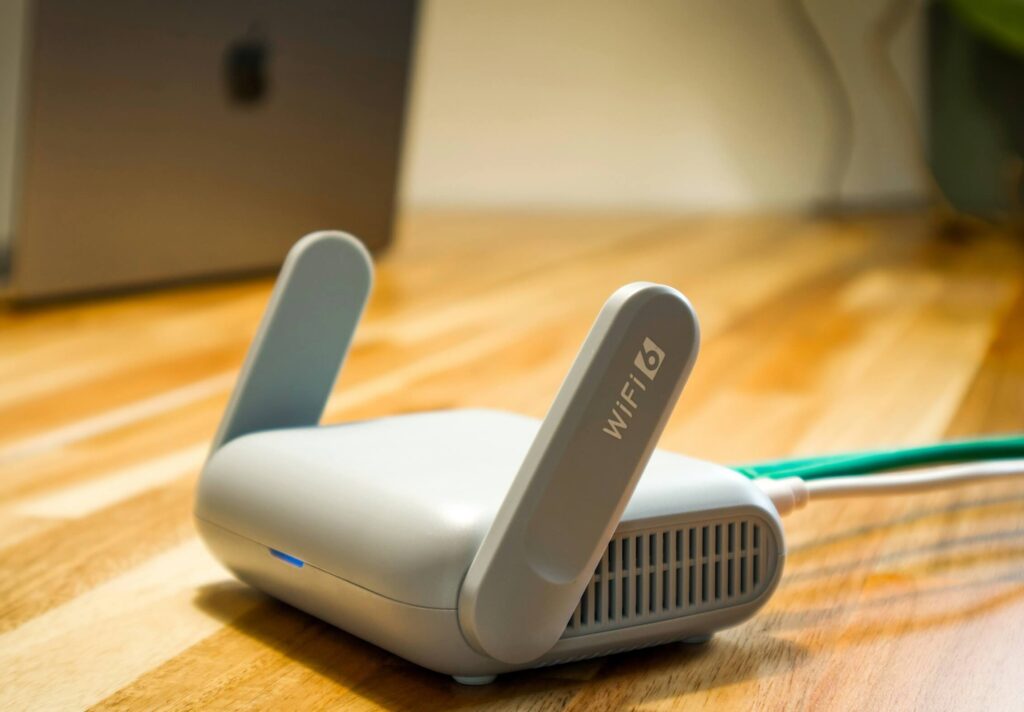
Five extenders under ₹3,000, reviewed for what actually happens in an Indian apartment or villa — not a lab with no walls.
netdaemons.com · Home & SMB Series · Article #33 · 2 October 2026

Your Wi-Fi router sits in the living room. Your bedroom, two rooms away, gets one bar and drops every video call. You’ve moved the router, restarted it, and called your ISP — the dead zone is still there.
A Wi-Fi extender under ₹3,000 fixes this one problem, and only this problem. It does not make your internet plan faster, and it does not fix a router that is actually faulty. It takes the signal that already reaches your hallway and pushes it one or two rooms further, usually at reduced speed.
This guide covers five extenders confirmed on Amazon India, priced under ₹3,000, from two brands with an active India service presence — TP-Link and Tenda. We checked D-Link and Netgear too; every genuine extender from either sits above ₹3,000 right now, which is why they’re not here.
| Disclaimer: General: Pricing and specs verified 23 September 2026 against manufacturer documentation and live Amazon India listings. Firmware interfaces change with updates. The Tenda A10’s coverage area is deliberately not stated as a specific number — see that section for why. Pricing: prices below were captured during an active sale window and are not guaranteed — check the current price before buying. Availability: indicative, may change. Verdicts: independent NetDaemons opinion. This article contains affiliate links; purchases through them may earn NetDaemons a commission at no extra cost to you. Verify current pricing and specs independently before purchasing. |
Quick Comparison
| Product | Price | Wi-Fi Standard | Best For | One-Line Verdict |
| TP-Link TL-WA850RE | ₹1,549 | N300, single-band | One adjoining room, browsing-only devices | Cheapest fix that actually works — no 5GHz means no separate lane for gaming or 4K |
| Tenda A10 | ₹1,589 | N300, single-band | Same use case as WA850RE, different brand | Nearly identical on paper; TP-Link’s India service network is deeper |
| TP-Link RE205 | ₹2,199 | AC750, dual-band | Most Indian 2BHK/3BHK apartments | The safe default pick — largest review base, proven track record |
| Tenda A19 | ₹2,366 | AC1200, dual-band | Same use case as RE305, thinner track record | Comparable spec to RE305, far fewer verified buyers in India so far |
| TP-Link RE305 | ₹2,599 | AC1200, dual-band | Larger 3BHK, villa floor, WFH + streaming together | Meaningfully faster 5GHz than the AC750 pair — worth the extra ₹400 |
Stop — Answer These Questions Before You Buy
Answer these first — it can save you ₹2,000 and a return.
Is the problem distance, or your ISP connection itself?
If calls drop even next to the router, an extender won’t help.
How many rooms away is the dead zone?
A sub-₹3,000 extender covers one room, maybe two, past your router’s reach — not a whole duplex.
Do you actually need 5GHz, or is 2.4GHz enough?
Browsing and casual streaming: single-band N300 (₹1,549–1,589) is enough. Calls or gaming: spend the extra ₹600–1,000 on dual-band.
Is your router itself the bottleneck?
An extender only repeats what it receives. A dated router or weak ISP-bundled unit is sometimes the real fix.
What ₹1,500–3,000 Actually Buys You
At this price you’re buying one of two radio classes: N300 single-band, or AC750/AC1200 dual-band.
None of these five mesh with your router the way a proper mesh system does — your phone won’t hand off automatically mid-call.
Every extender here roughly halves available bandwidth — it uses the same radio to talk to your router and your devices. That’s a physical cost of repeating Wi-Fi wirelessly, not a flaw in any product.
TP-Link TL-WA850RE — ₹1,549
What it does well
- Cheapest usable extender here; TP-Link’s most-reviewed on Amazon India (200,000+ ratings, 4.2 stars).
- Ethernet port lets you hardwire one device at the far end.
- Compact wall-plug design, no separate power brick.
Where it falls short
- Single-band 2.4GHz only — every device shares the same crowded frequency.
- 300 Mbps is a lab ceiling; expect noticeably less through a concrete wall.
Who should skip it
Skip it if more than two people share the room, or work calls happen there.
WFH / Gaming / Streaming verdict
Fine for email and light browsing, not daily calls in a congested building. Skip for gaming — no 5GHz lane. One device streams fine; two will buffer at peak hours.
Tenda A10 — ₹1,589
What it does well
- Nearly identical hardware to the WA850RE — a genuine second-brand option at the same tier.
- Password auto-check flags a wrong Wi-Fi password during setup.
Where it falls short
- Same single-band ceiling and congestion limits as the WA850RE.
- Tenda’s own India page states no specific coverage figure — third-party listings conflict, so treat any specific claim elsewhere with caution.
- Tenda’s authorised service network in India is smaller than TP-Link’s.
Who should skip it
Skip it if broad authorised-service coverage in smaller towns matters — otherwise it’s interchangeable with the WA850RE.
WFH / Gaming / Streaming verdict
Same ceiling as the WA850RE: workable for browsing, weak for calls or gaming, fine for one stream.
TP-Link RE205 — ₹2,199
What it does well
- Dual-band (750 Mbps combined) lets latency-sensitive devices sit on 5GHz, clear of 2.4GHz congestion.
- Largest dual-band review base here (6,300+ ratings, 4.2 stars), Amazon’s Choice in category.
- Ethernet port and access-point mode add flexibility.
Where it falls short
- 5GHz on AC750 is modest — the benefit is a cleaner band, not raw speed.
- Like every extender here, it roughly halves available bandwidth.
- 5GHz loses strength faster through concrete — usable range may be just one room from the extender.
Who should skip it
If the dead zone is one small room with phone-only browsing, the single-band options save ₹600–650 with little practical difference.
WFH / Gaming / Streaming verdict
This is where daily video calls become workable — put the laptop on 5GHz. Usable for casual gaming close by; wired Ethernet stays more reliable for competitive play. Comfortable for one 4K or two HD streams at once.
Tenda A19 — ₹2,366
What it does well
- AC1200-class dual-band (1167 Mbps combined) near the RE205’s price — higher ceiling for similar money.
- Access-point mode and Ethernet port match its TP-Link competitors.
Where it falls short
- Honest flag: this listing shows only a handful of verified ratings against thousands for the TP-Link equivalents — competitive on paper, thinner track record.
- Manufactured in China, unlike the TP-Link units here — doesn’t affect performance, but can mean slower warranty resolution.
- Lower Amazon India bestseller rank than every TP-Link product here — a signal of a smaller installed base.
Who should skip it
For similar money and a deeper track record, the RE305 below is the safer pick. Choose the A19 mainly for brand redundancy, or if RE305 stock runs out.
WFH / Gaming / Streaming verdict
On paper, comparable to the RE305 for calls, gaming, and streaming — but given the thin review history, we’d lean toward the more established option where reliability matters.
TP-Link RE305 — ₹2,599
What it does well
- Highest-spec extender here: AC1200 dual-band, 300+867 Mbps per TP-Link’s official datasheet.
- Second-highest bestseller rank among all five, largest dual-band review base (8,600+ ratings, 4.3 stars).
- Same Ethernet port and access-point flexibility as the RE205, with more 5GHz capacity.
Where it falls short
- At ₹2,599, you’re close to where a budget mesh kit becomes worth considering for larger areas.
- 5GHz coverage through concrete is shorter-range than the Mbps figure suggests — placement matters more than specs.
- No feature here a mesh system doesn’t do better — you’re paying for extender-class throughput, not mesh roaming.
Who should skip it
If the dead zone is one small room with light usage, the RE205 covers the same ground for ₹400 less.
WFH / Gaming / Streaming verdict
The best video-call and gaming performance here at this price, though wired Ethernet stays more dependable for competitive play. Comfortably handles 4K and simultaneous HD streams with reasonable placement.
India-Specific Considerations That Actually Matter Here
Concrete walls and where 5GHz gives up
Indian construction uses denser concrete than the drywall this hardware is designed for elsewhere. 5GHz’s advantage often holds only within the same room or one wall from the extender.
Heat, not just distance, affects reliability
Summer temperatures of 35–42°C exceed what these products are typically validated for, and none have active cooling. Avoid closed cabinets, direct sunlight, or stacking near another heat source.
Apartment Wi-Fi congestion is measurable, not anecdotal
Dense Indian apartment complexes routinely show 50 to 100 overlapping 2.4GHz networks on a single scan — why single-band extenders here (WA850RE, A10) suit only casual use.
Power stability and load-shedding
Voltage fluctuations and short outages remain common, more so in smaller towns. A cheap multi-socket extension with poor contact causes more resets than people realise.
ISP compatibility, including ACT Fibernet
All five bridge to any router’s Wi-Fi signal, so your ISP makes no difference. On ACT Fibernet specifically: confirm 5GHz is switched on in your router’s admin panel — some ISP-bundled routers ship with it off.
Warranty and service reality
TP-Link’s three-year warranty, backed by a wider authorised-service network across Indian tier-2 and tier-3 towns, is a genuine advantage over Tenda’s two-year coverage and thinner footprint.
Larger homes, villas, and duplexes
None of these five suit a genuinely large home — beyond roughly 1,200–1,500 sq. ft. across multiple floors, one extender typically helps a single room, not a whole floor. Budget for two extenders, or a mesh system, rather than forcing one to cover a villa.
| Industry pattern — Based on publicly documented TP-Link/Tenda support guidance and patterns echoed in verified Indian buyer feedback: extenders placed inside TV units, behind curtains, or in enclosed meter-box cavities show disproportionately more overheating and random-disconnect complaints than units on an open wall socket. A public-pattern observation, not a NetDaemons first-hand test — logged as a deviation per standing process. |
When to Spend More Than ₹3,000
Three situations where a higher budget saves you a second purchase later:
Your home is larger than a standard 2–3BHK apartment.
Independent houses and villas with multiple floors are better served by a two- or three-node mesh system, typically ₹6,000–8,000.
More than three people rely on the same extended zone at once.
Multiple calls, a 4K stream, and downloads in one room stretches even the RE305’s headroom thin. A mesh node handles sustained multi-device load better.
You’ve already tried an extender in this range and it didn’t hold up.
The honest fix is often a mesh system, or a more central router placement — not another extender.
Team NetDaemons Verdict
The following reflects the independent assessment of the NetDaemons team.
| 1. Best overall for most Indian apartments: TP-Link RE205 (₹2,199). The safest, best-proven dual-band pick — start here unless your situation points elsewhere. |
| 2. Best for larger rooms or WFH-heavy households: TP-Link RE305 (₹2,599). Worth the extra ₹400 over the RE205 for genuinely heavy daily use. |
| 3. Best true-budget pick: TP-Link TL-WA850RE (₹1,549). Right if the fix is genuinely “one room, one phone, browsing” — no reason to overspend. |
| 4. Worth considering for a second brand in the house: Tenda A10 (₹1,589). Functionally equivalent to the WA850RE — pick this only to avoid an all-TP-Link home network. |
| 5. Consider only if RE305 is unavailable: Tenda A19 (₹2,366). Comparable spec sheet to the RE305, but a meaningfully thinner track record among verified Indian buyers. |
The Bottom Line
For most readers with one dead zone, the TP-Link RE205 at ₹2,199 is the sensible default. If the room sees daily calls, gaming, or heavy streaming, spend the extra ₹400 on the RE305. If you only need to fix a phone’s browsing signal, the ₹1,549 WA850RE does that job without the extra spend.
Have a specific ISP, apartment layout, or device mix you’re trying to solve for? Drop it in the comments — we read and respond to every one.
Related Articles
| Article | Why it is relevant | Status |
| Best Mesh Wi-Fi Systems in India Under ₹15,000 | For readers whose dead zone is bigger than one room | LIVE |
| How to Fix Slow Wi-Fi in Indian Apartments | Diagnose coverage before adding an extender | LIVE |
netdaemons.com · Home & SMB Series · October 2026 · See full disclaimer above. Router and extender interfaces vary by firmware version and manufacturer. This article contains affiliate links