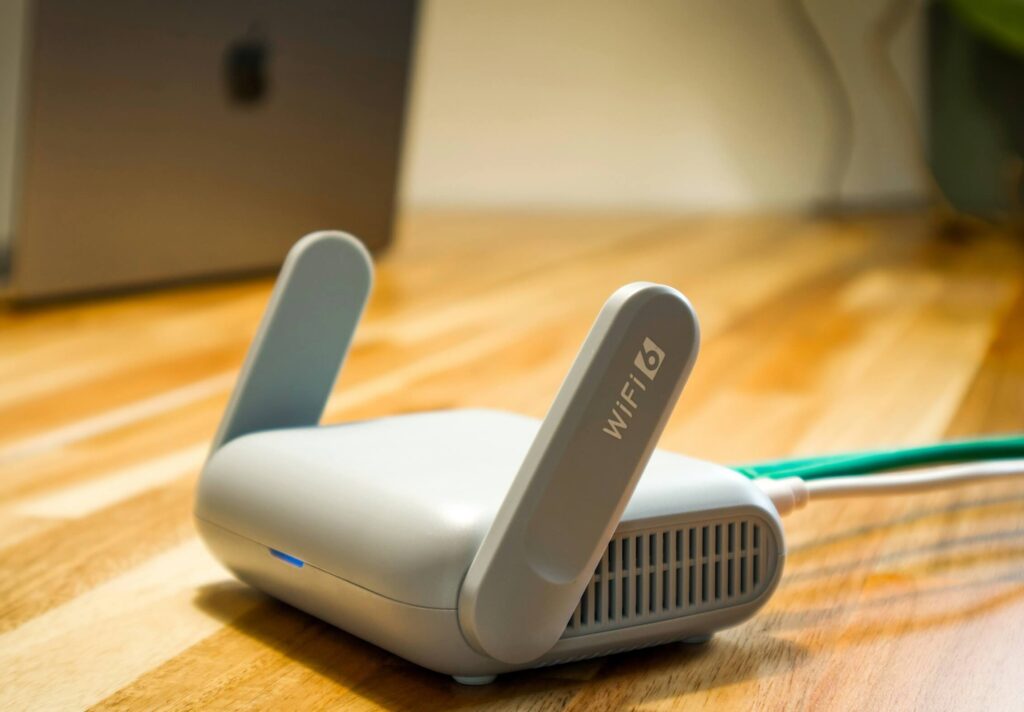
ACT gets fast fiber to your wall. Whether it reaches your laptop, your kid’s console, and your video calls without dropping is a different problem — and not one every stock router solves.
netdaemons.com · Home & SMB Series · Article #28 · 15 September 2026
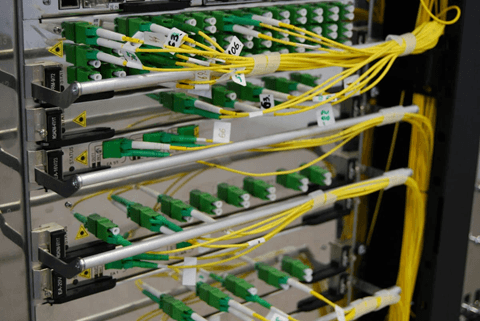
Your ACT Fibernet plan promises 200 Mbps, and a speed test next to the ONT confirms it. Walk to the bedroom, and the same laptop stutters on a call, buffers a show, or drops an online match mid-round. The fiber isn’t the bottleneck; what happens after it leaves the wall usually is.
This is the best routers for ACT Fibernet 2026 comparison for exactly that gap: which router turns the fiber speed on your plan into usable Wi-Fi in every room, without overpaying for features you’ll never use. We’ve compared four routers across three price tiers against ACT’s typical GPON setup, common Indian apartment construction, and the everyday mix of WFH, moderate gaming, and streaming most ACT subscribers actually run.
Best Routers for ACT Fibernet 2026 — At a Glance
| Router | Price | Wi-Fi Standard | Best For | Verdict |
| TP-Link Archer C6 | ₹2,799 | Wi-Fi 5 (AC1200) | Single-user or small 1–2BHK homes | Gets basic Wi-Fi working reliably; nothing more |
| TP-Link Archer AX53 | ₹5,999 | Wi-Fi 6 (AX3000) | Most 2–3BHK homes running WFH, streaming, and gaming together | Best all-round pick for a typical ACT household |
| ASUS RT-AX53U | ₹5,499 | Wi-Fi 6 (AX1800) | Households likely to expand to mesh later | Near-identical to the AX53, with an easier upgrade path |
| TP-Link ER605 (TL-R605) | ₹5,999 | None — wired only | Fixing a confirmed double-NAT problem | Not a Wi-Fi router — solves one specific plumbing issue |
Disclaimer:
General: The NetDaemons team has researched the routers and specifications in this guide against official manufacturer documentation and Amazon India listings current at time of writing (September 2026). Router firmware, feature availability, and Amazon India pricing change without notice — verify current specifications before purchase. Readers on ACT Fibernet, or switching to ACT Fibernet, should confirm directly with ACT customer support whether their specific connection, ONT, and plan support using a third-party router in router mode or bridge mode as described in this guide — ONT type and provisioning behaviour vary by city, franchise, building, and plan, and ACT does not publish a universal compatibility list. Pricing: Prices below are indicative Amazon India street prices at time of writing, not guaranteed selling prices — they vary by seller and ongoing promotions.
Availability: Product availability is indicative and may change without notice.
Verdicts: Recommendations reflect the independent technical opinion of the NetDaemons team. This article contains affiliate links — if you purchase through these links, NetDaemons may earn a commission at no extra cost to you.
Critical: none of the routers in this guide are officially certified or tested by ACT Fibernet for compatibility. Confirm with ACT customer support that your specific connection, ONT model, and plan support using a third-party router — in router mode or bridge mode — before you purchase. Behaviour varies by city, franchise, and installation, and ACT does not publish a universal compatibility list.
Stop — Answer These Questions Before You Buy
Before spending anything, four questions will save you money and a returns headache.
1. Did ACT give you a router, or just an ONT?
If ACT already installed a Wi-Fi router, weak bedroom signal might be a placement problem, not a router problem — moving it or adding one mesh unit could be cheaper than replacing it. A bare ONT, fiber in and one Ethernet port out, no antenna, means you need a router regardless of budget.
2. Are you already dealing with double-NAT?
If ACT’s router feeds into a second router you added yourself, and specific things misbehave — a game shows “Strict NAT,” a work VPN drops randomly, video calls reconnect on their own — that’s a double-NAT symptom, not a Wi-Fi range problem. Buying a stronger Wi-Fi router will not fix this. See the ER605 section further down.
3. How many rooms need real coverage, and how many walls are concrete?
A router in a flat with drywall partitions behaves very differently from one with load-bearing concrete between rooms. Concrete cuts 5 GHz range far more aggressively than spec sheets admit.
4. Do you actually need Wi-Fi 6?
If most of your devices are two or three years old, they’re likely Wi-Fi 5 hardware regardless of the router, and won’t see AX3000 or AX1800 speeds. Wi-Fi 6 earns its price when several devices compete for airtime at once — useful in a busy household, wasted money in a one- or two-person home.
What Your Budget Actually Buys
Under ₹3,000 buys a router that gets a single ACT connection working reliably across one or two rooms — the Archer C6 sits exactly here. It won’t push signal through a 3BHK’s worth of concrete, but for what most entry and mid-tier ACT plans (50–150 Mbps) deliver, it isn’t the bottleneck.
₹5,000–6,000 buys genuine Wi-Fi 6 with enough capacity for a WFH setup, a smart TV, and a couple of phones without visibly stepping on each other. The AX53 and RT-AX53U both live here; the choice comes down to interface and upgrade path, not raw capability.
The ER605, at ₹5,999, costs the same as the AX53 but buys something completely different — it’s a wired-only device solving a specific network problem, not a stronger Wi-Fi router. Don’t compare it to the other three on price; compare it on whether you actually have the problem it fixes
The 4 Best Routers for ACT Fibernet in 2026
TP-Link Archer C6 (AC1200) — ₹2,799
What it genuinely does well:
- Handles a single ACT connection reliably for browsing, streaming, and video calls in a compact 1–2BHK.
- PPPoE, Dynamic IP, Static IP, and L2TP are all supported per TP-Link’s own user guide, so it takes ACT’s connection type without a firmware workaround.
- Five Gigabit ports mean a wired smart TV or desktop isn’t capped at 100 Mbps.
Where it falls short:
- Wi-Fi 5 only, AC1200 class — on a 200 Mbps+ ACT plan, this router becomes the bottleneck, not the fiber.
- Two rooms away through a concrete wall is typically where signal drops to unreliable.
- No Wi-Fi 6 means several devices competing for bandwidth at once will visibly fight each other more than on newer standards.
Who should skip it: Anyone on an ACT plan above 150 Mbps, anyone in a 3BHK or larger, or any household with four or more people online at once.
WFH verdict: Fine for one person on calls in the same room as the router, noticeably shakier from a bedroom two walls away, especially if a call overlaps with someone else’s stream.
Gaming verdict: Casual, single-player, or turn-based gaming holds up fine. Competitive online play from a room away shows visible lag spikes the moment anyone else starts a download or a stream.
Streaming verdict: One 4K stream close to the router is comfortable. Two simultaneous 4K streams in different rooms will visibly compete.
TP-Link Archer AX53 (AX3000, Wi-Fi 6) — ₹5,999
What it genuinely does well:
- Wi-Fi 6 (AX3000) handles a laptop on a call, a TV streaming, and a couple of phones at once without the slowdown the C6 shows under the same load.
- PPPoE support is confirmed in TP-Link’s official AX53 manual and needs no separate bridge-mode modem when paired with a bare ONT.
- WPA3 is a real step up from the C6’s WPA2-only options.
Where it falls short:
- Four LAN ports only — modest for a home with several wired devices at once.
- Dual-band only, with no dedicated backhaul band — a later mesh add-on trades some throughput compared to a tri-band system built for mesh from the start.
- 4.3★ across 3,215 reviews is solid but not spotless.
Who should skip it: Anyone who already knows they’ll need mesh coverage across a large or multi-floor home from day one — a dedicated mesh kit serves that better than a single AX53 unit.
WFH verdict: Comfortably handles one to two people on calls plus normal browsing, even from a room away, as long as the layout doesn’t stack more than one thick concrete wall between router and desk.
Gaming verdict: Wi-Fi 6’s OFDMA (a feature that lets the router talk to several devices in the same transmission window instead of queuing them one at a time) means competitive gaming holds up better under household load than on the C6.
Streaming verdict: Two simultaneous 4K streams across different rooms are workable, given a reasonable wall count between router and screens.
ASUS RT-AX53U (AX1800, Wi-Fi 6) — ₹5,499
What it genuinely does well:
- AiMesh compatibility means a second AiMesh unit later is a documented upgrade, not a full replacement.
- PPPoE is confirmed as a supported WAN type in ASUS’s own manual, alongside Static and Automatic IP — the same ACT-relevant coverage as the TP-Link options.
- A built-in VPN server is useful for reaching home securely while travelling.
Where it falls short:
- AX1800 is a lower Wi-Fi 6 speed class than the AX53’s AX3000 — less headroom on paper for many simultaneous high-bandwidth devices.
- 270 reviews is a smaller sample than the AX53’s, still a credible 4.4★ rating.
- ASUS’s app differs meaningfully from TP-Link’s Tether app — expect a short relearning curve if the rest of your household runs TP-Link.
Who should skip it: Anyone already invested in TP-Link’s Tether or Omada ecosystem and planning to expand — staying within one vendor’s mesh system is simpler than mixing brands.
WFH verdict: Similar real-world performance to the AX53 for one to two people on calls; the practical gap between these two routers is smaller than the spec sheet suggests.
Gaming verdict: Adequate for one household gamer at a time; a household with two people gaming online simultaneously will notice AX1800’s lower ceiling sooner than the AX53’s AX3000.
Streaming verdict: One 4K stream plus normal browsing is comfortable; pushing two simultaneous 4K streams plus a call is where this unit shows strain before the AX53 does.
TP-Link ER605 (TL-R605) — ₹5,999
What it genuinely does well:
- Purpose-built to sit between ACT’s ONT and your own network, taking over the WAN connection to eliminate double-NAT — a genuine fix once double-NAT is confirmed.
- Multi-WAN support (up to three ports) with load balancing and failover matters if you ever run ACT alongside a backup 4G/5G connection.
- Omada SDN integration lets it be managed centrally alongside other Omada devices if the network grows.
Where it falls short:
- It has no Wi-Fi radio at all — it needs its own access point downstream to reach any device wirelessly; buying this alone expecting Wi-Fi wastes the purchase.
- Setup usually means switching ACT’s router to bridge mode — more effort than plugging in a standard router.
Who should skip it: Anyone without a confirmed double-NAT symptom — failed port forwarding, a game or call behaving oddly. Most single-router ACT households will never need this device.
WFH verdict: Not directly relevant to WFH performance by itself; paired with a proper Wi-Fi router or access point, it removes a layer of latency and instability double-NAT can introduce on call-heavy days.
Gaming verdict: For anyone whose console reports NAT type as “Strict” or “Moderate” specifically because of double-NAT, this is the correct fix — more effective than any Wi-Fi router upgrade.
Streaming verdict: No direct effect on streaming quality; relevant only if double-NAT is also causing DNS or connection-reset issues, which happens occasionally but isn’t common.
India-Specific Considerations for ACT Fibernet Households
Your ONT needs power — your old copper connection didn’t
Easy to miss if you’re switching from copper: ACT’s fiber terminates at an ONT that needs mains power, unlike some copper lines that carried a trickle of their own. A power cut takes down your internet the instant the ONT loses power, even with your router on a UPS. If uninterrupted internet during outages matters, the ONT needs the same backup power as the router.
Where your ONT sits is not your choice — where your router sits is
Most ACT installations place the ONT wherever fiber entry and the installer’s cable run make it easiest, often a hallway or utility corner, not the centre of your home. A separate router placed centrally, with the ONT bridged or a device like the ER605 handling the handoff, usually beats boosting signal from a bad corner.
From the field — A pattern worth knowing: this fixed ONT location is exactly why an all-in-one ONT+router combo often underperforms a bare ONT paired with a router placed centrally. The combo puts your Wi-Fi source where the cable run was easiest, not where coverage is best. [Author note: Pratik/Sujit — a specific deployment example here, if you have one, would satisfy L1 Gate 2’s practitioner-insight requirement; the general pattern above is guardrail-compliant on its own if you’d rather leave it as-is.]
Concrete walls and Indian summer heat
Indian construction typically uses reinforced concrete, brick, and plaster, which attenuate 5 GHz signal far more than the drywall most spec sheets are tested against. Add 35–42°C summer temperatures, and a router boxed inside a cabinet or on a sun-facing sill will throttle its own radio to manage heat, cutting range exactly when you notice it least. Keep it on an open shelf, away from direct sun and a TV unit.
Apartment Wi-Fi congestion is a 2.4 GHz problem specifically
In dense apartments, 50 or more neighbouring 2.4 GHz networks commonly overlap on the same three usable channels (1, 6, 11), causing real slowdowns even when your own connection is fine. All four routers here let you manually fix the channel instead of relying on auto-selection — a free Wi-Fi analyser app makes testing this worth ten minutes. 5 GHz stays far less congested since fewer devices use it.
Confirm PPPoE and bridge-mode support with ACT before you buy — don’t assume
This is the single most important step here, regardless of which router you choose. All four support PPPoE per their own manufacturer documentation — the connection type ACT and most Indian fiber ISPs commonly use. What that documentation cannot confirm is how ACT specifically provisions your connection, or whether your ONT can switch to bridge mode without a support call or technician visit.
Call ACT and ask directly, before you buy: “Can I use my own router in router mode, or must my ONT stay in router mode with the new one only serving as an access point?” The answer changes which setup you actually need.
Warranty is genuinely comparable across this list
All four routers carry a 3-year warranty per their Amazon India listings, and TP-Link and ASUS both maintain active India service networks, so warranty isn’t a differentiator here the way it sometimes is between budget and premium brands. Keep your Amazon invoice — it’s usually the only proof of purchase a service centre asks for.
When to Spend More
Three scenarios justify going past the C6’s ₹2,799 price point.
Three or more people are online at once, regularly. A household with overlapping calls, gaming, and streaming as a daily pattern outgrows AC1200 quickly. Go straight to the AX53 or RT-AX53U tier.
You’ve confirmed, not suspected, double-NAT is breaking something specific. A game that won’t open ports, a work VPN that drops randomly, a call app that reconnects on its own — these are symptoms worth the ER605’s ₹5,999, because a stronger Wi-Fi router will not fix them.
You’re planning whole-home mesh within the next year. Buying AiMesh-ready (RT-AX53U) or staying within TP-Link’s ecosystem (AX53) now avoids a second full router purchase later.
Bottom Line
The following reflects the independent assessment of the NetDaemons team, based on manufacturer documentation and current specifications rather than in-house lab testing.
NetDaemons take: If you only read one line, read this — for most ACT households, the AX53 or RT-AX53U fixes a weak-Wi-Fi problem, and the ER605 fixes a double-NAT problem, but they are not interchangeable fixes for the same symptom. Diagnose before you buy.
- TP-Link Archer AX53 (₹5,999) — the best all-round pick for most ACT households running a typical mix of WFH, streaming, and light gaming.
- ASUS RT-AX53U (₹5,499) — near-identical real-world performance to the AX53; pick this specifically for AiMesh’s upgrade path or the built-in VPN.
- TP-Link Archer C6 (₹2,799) — the right call only for a single-user or small-apartment ACT connection on a plan under 150 Mbps.
- TP-Link ER605 (₹5,999) — the same price as the AX53, but skip it unless you’ve already confirmed double-NAT is your actual problem; then it’s the correct fix, not an upgrade.
Before buying any of these: confirm with ACT customer support whether your connection supports third-party router mode, and check your exact ONT model against your plan. Have a specific ACT plan speed, city, or double-NAT symptom you want a direct read on? Drop it in the comments — we read and respond to every one.
Related Articles
| Article | Why it is relevant | Status |
| Best Routers for Jio Fiber 2026 | Compare ACT-specific picks against Jio’s router requirements | LIVE |
| How to Fix Slow Wi-Fi in Indian Apartments | Diagnose congestion and placement issues beyond router choice | LIVE |
| How to Set Up a VLAN at Home: Engineer’s Step-by-Step | For readers who want to segment IoT devices once basic coverage is fixed | LIVE |
netdaemons.com · Home & SMB Series · September 2026 · See full disclaimer above. Router specifications and ACT Fibernet compatibility vary by connection type and plan — confirm with ACT support and manufacturer documentation before purchase. This article contains affiliate links.